Apache | Installing Content | Alias
In Apache, using an alias makes it possible to access directories other than the document root (\htdocs) from outside.
Alias
Content published to clients must be placed under the document root (\htdocs), but by using an alias, files in a completely different directory can appear as if they are located under the document root.
Alias URL-path file-path|directory-path
This specifies which actual server directory corresponds to the URL path included in the client request.
Search for Alias in the httpd.conf file, and you should find content like the following.
<IfModule alias_module>
    #
    # Redirect: Allows you to tell clients about documents that used to
    # exist in your server's namespace, but do not anymore. The client
    # will make a new request for the document at its new location.
    # Example:
    # Redirect permanent /foo http://www.example.com/bar

    #
    # Alias: Maps web paths into filesystem paths and is used to
    # access content that does not live under the DocumentRoot.
    # Example:
    # Alias /webpath /full/filesystem/path
    #
    # If you include a trailing / on /webpath then the server will
    # require it to be present in the URL.  You will also likely
    # need to provide a <Directory> section to allow access to
    # the filesystem path.

    #
    # ScriptAlias: This controls which directories contain server scripts.
    # ScriptAliases are essentially the same as Aliases, except that
    # documents in the target directory are treated as applications and
    # run by the server when requested rather than as documents sent to the
    # client.  The same rules about trailing "/" apply to ScriptAlias
    # directives as to Alias.
    #
    ScriptAlias /cgi-bin/ "${SRVROOT}/cgi-bin/"

</IfModule>
Consider a case where Alias is not used. If the document root is ${SRVROOT}/htdocs, a client request such as http://localhost/sub/index.html maps as follows.
http://localhost/sub/index.html
${SRVROOT}/htdocs/sub/index.html
Now configure Alias as follows.
Alias /sub/ "C:/apache/data"
With this configuration, a client request such as http://localhost/sub/index.html maps as follows.
http://localhost/sub/index.html
C:/apache/data/index.html
By configuring Alias, documents can be placed outside the Apache document root and even outside the directory that contains Apache.
Practice
For practice, create the C:/apache/data directory and place the following HTML file in that directory.
hello.html
<html>
<head><title>Apache Alias</title></head>
<body>
<h1>Hello World Alias devkuma!</h1>
</body>
</html>
Then add the configuration for Alias.
<IfModule alias_module>
    #
    # Redirect: Allows you to tell clients about documents that used to
    # exist in your server's namespace, but do not anymore. The client
    # will make a new request for the document at its new location.
    # Example:
    # Redirect permanent /foo http://www.example.com/bar

    #
    # Alias: Maps web paths into filesystem paths and is used to
    # access content that does not live under the DocumentRoot.
    # Example:
    # Alias /webpath /full/filesystem/path
    #
    # If you include a trailing / on /webpath then the server will
    # require it to be present in the URL.  You will also likely
    # need to provide a <Directory> section to allow access to
    # the filesystem path.

    Alias /data/ "C:/apache/data/"
    <Directory "C:/apache/data">
        Require all granted
    </Directory>

    #
    # ScriptAlias: This controls which directories contain server scripts.
    # ScriptAliases are essentially the same as Aliases, except that
    # documents in the target directory are treated as applications and
    # run by the server when requested rather than as documents sent to the
    # client.  The same rules about trailing "/" apply to ScriptAlias
    # directives as to Alias.
    #
    ScriptAlias /cgi-bin/ "${SRVROOT}/cgi-bin/"

</IfModule>
Because permissions for the directory are required, Require all granted is configured.
Start a browser and access the following URL.
http://localhost/data/hello.html
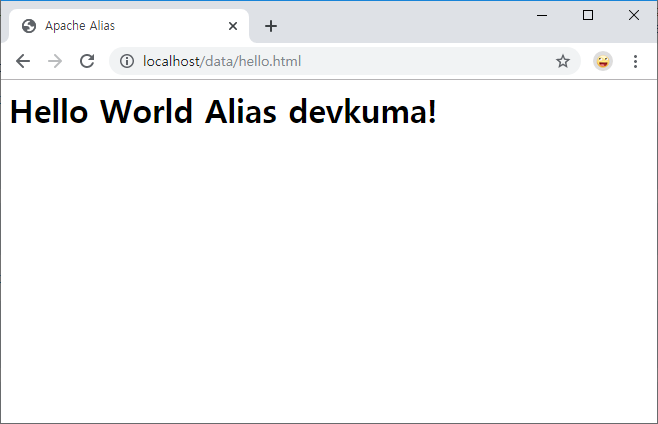
By using an alias, files installed in a directory outside the document root can now be accessed from outside.