What is Cloud?
What is cloud?
Recently, the term cloud, or cloud computing, has become common. What does cloud mean? Cloud means a cloud in the sky.
Until now, photos taken with digital cameras or smartphones, documents created on PCs, music, videos, and similar data were naturally stored on a user’s own PC or smartphone.
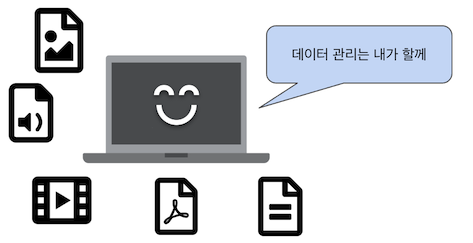
Data saved on a user’s own PC or smartphone could only be viewed from that device. Sharing between PCs is possible if sharing is configured, but basically the data cannot be viewed elsewhere.
For example, to view photos taken with a smartphone on a PC, they had to be transferred to the PC.
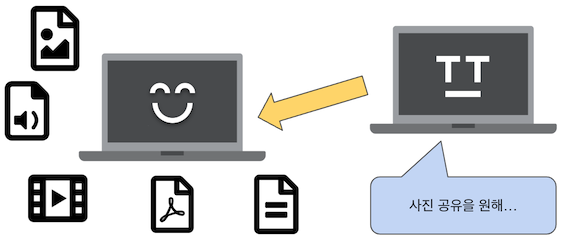
Data cannot be viewed on another computer.
Cloud appeared to solve this. With the emergence of cloud, data that had been stored on PCs or smartphones can now be stored in the cloud.
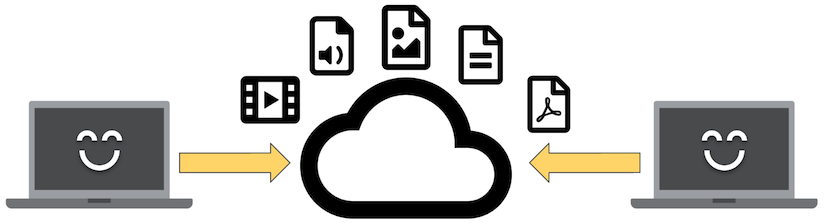
Saving data in the cloud makes it viewable from other computers.
By saving data in the cloud, it became possible to view it from many devices. Photos taken with a smartphone can be viewed easily after uploading them to the cloud, without transferring them to a computer.
From a user’s perspective, some may wonder where data stored in the cloud is actually located. Because it is like an invisible cloud, it is called cloud.
In addition to storing data, cloud services provide applications, environments for running applications, and servers or infrastructure for running applications. Details are introduced in the cloud service section below.
What is a cloud service?
Cloud services provide services to users through a network by using the cloud. Cloud services include the following types.
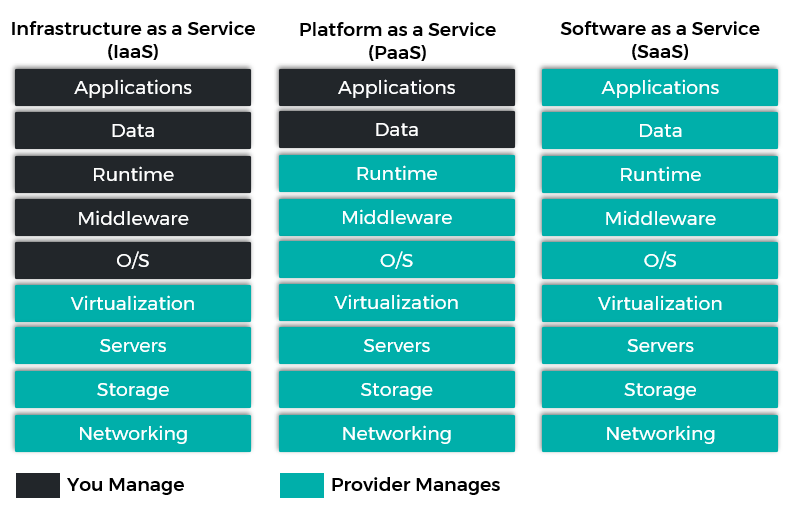
Source: https://www.inap.com/blog/iaas-paas-saas-differences/
SaaS (Software as a Service)
SaaS is a service that provides applications through a network.
Originally, to run an application on a PC, the application had to be installed on the PC.
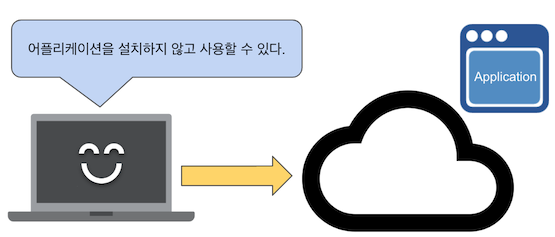
SaaS (Software as a Service)
With SaaS, users can connect to cloud applications through the internet and use them without installing applications on their computers.
Representative SaaS examples include Gmail and Microsoft Office 365.
PaaS (Platform as a Service)
PaaS provides a development environment, or platform, for running applications and programs.
In the past, a server was required to run an application. For example, for a web application, a server had to be purchased, a web server had to be built, and the web application had to be placed on that web server.
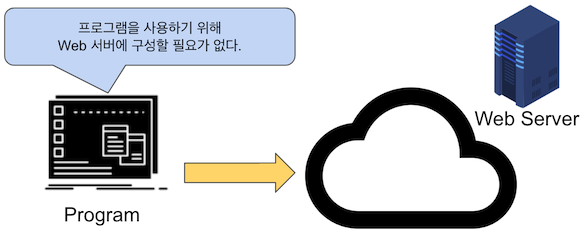
PaaS (Platform as a Service)
With PaaS, a web server is available in the cloud, so there is no need to buy a server and build it from scratch. You only need to prepare the application or program that runs on the server.
Representative PaaS examples include Google App Engine and Microsoft Azure.
IaaS (Infrastructure as a Service)
IaaS provides infrastructure such as virtual servers, hard disks, and firewalls.
Unlike PaaS, IaaS offers more freedom and allows users to choose hardware specifications, operating systems, and other components. However, it requires knowledge of operating systems, hardware, and networks, and security policies must also be considered.
Representative IaaS examples include Google Compute Engine and Amazon Elastic Compute Cloud.