Apache | Basic Apache Configuration | Location of the Configuration File (httpd.conf) and Loading Supplemental Configuration Files
Apache is configured in the http.conf file, but settings can also be written in other files and included from http.conf. This article explains where the http.conf file is located and how to include separately prepared supplemental configuration files.
Location of the http.conf file
After installing Apache, the file structure is as follows.
C:\apache\Apache24>dir
 C 드라이브의 볼륨에는 이름이 없습니다.
 볼륨 일련 번호: XXXX-XXX

 C:\apache\Apache24 디렉터리

2019-11-26  오후 10:39    <DIR>          .
2019-11-26  오후 10:39    <DIR>          ..
2015-04-16  오전 05:53            13,740 ABOUT_APACHE.txt
2019-11-26  오후 10:39    <DIR>          bin
2019-11-26  오후 10:39    <DIR>          cgi-bin
2019-08-09  오후 11:37                59 CHANGES.txt
2019-11-26  오후 10:39    <DIR>          conf
2019-11-26  오후 10:39    <DIR>          error
2019-11-26  오후 10:39    <DIR>          htdocs
2019-11-26  오후 10:39    <DIR>          icons
2019-11-26  오후 10:39    <DIR>          include
2016-05-18  오전 02:59             3,869 INSTALL.txt
2019-11-26  오후 10:39    <DIR>          lib
2019-08-09  오후 11:38            44,480 LICENSE.txt
2019-11-28  오후 12:30    <DIR>          logs
2019-11-26  오후 10:39    <DIR>          manual
2019-11-26  오후 10:39    <DIR>          modules
2019-08-09  오후 11:38             2,865 NOTICE.txt
2019-08-09  오후 11:50            41,993 OPENSSL-NEWS.txt
2019-08-09  오후 11:50             4,545 OPENSSL-README.txt
2014-01-24  오전 01:33             4,752 README.txt
               8개 파일             116,303 바이트
              13개 디렉터리  459,275,866,112 바이트 남음

C:\apache\Apache24>
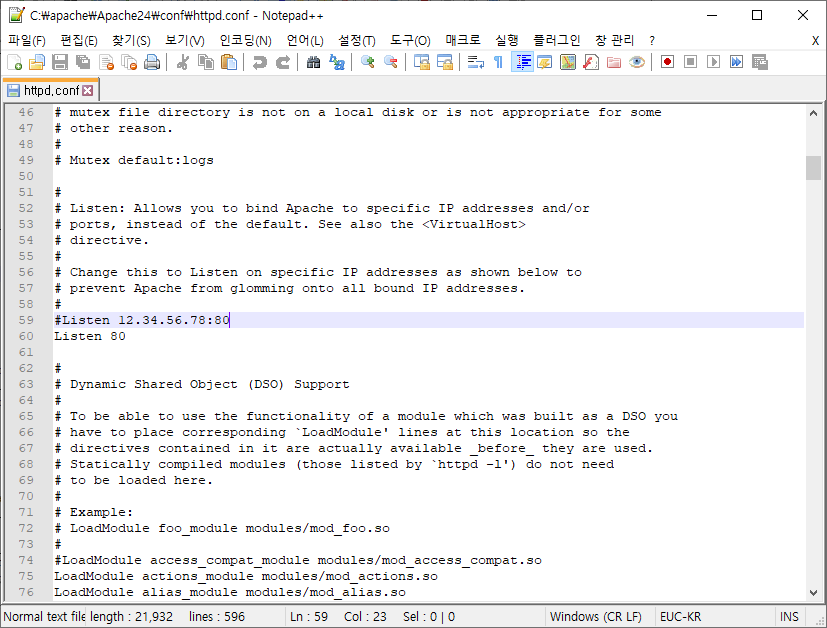
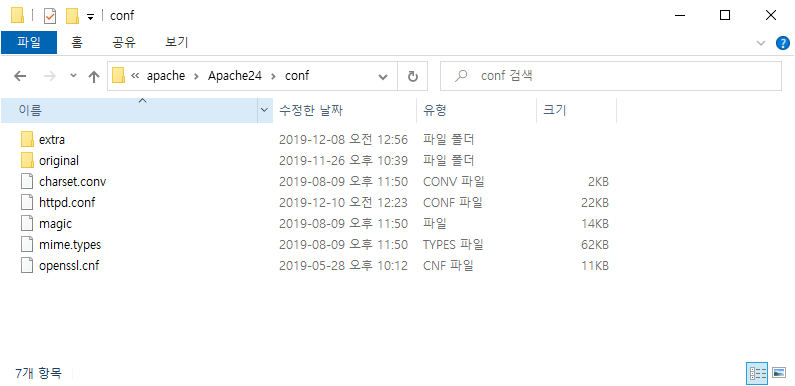
The Apache configuration file, http.conf, is located in the (installation directory)\Apache24\conf\ directory.
C:\apache\Apache24\conf>dir
 C 드라이브의 볼륨에는 이름이 없습니다.
 볼륨 일련 번호: XXXX-XXX

 C:\apache\Apache24\conf 디렉터리

2019-11-26  오후 10:39    <DIR>          .
2019-11-26  오후 10:39    <DIR>          ..
2019-08-09  오후 11:50             1,820 charset.conv
2019-11-26  오후 10:39    <DIR>          extra
2019-11-28  오후 12:30            20,555 httpd.conf
2019-08-09  오후 11:50            13,449 magic
2019-08-09  오후 11:50            62,702 mime.types
2019-05-28  오후 10:12            11,259 openssl.cnf
2019-11-26  오후 10:39    <DIR>          original
               5개 파일             109,785 바이트
               4개 디렉터리  459,279,749,120 바이트 남음

C:\apache\Apache24\conf>
Before changing the configuration, copy http.conf to another name and keep it as a backup. Since http.conf is a text file, open it with a text editor when you want to change settings.
How to include supplemental configuration files
In the current version, some configuration items are separated into separate files and can be loaded from httpd.conf as needed. The supplemental configuration files provided by default are stored in the (installation directory)\Apache24\conf\extra\ directory.
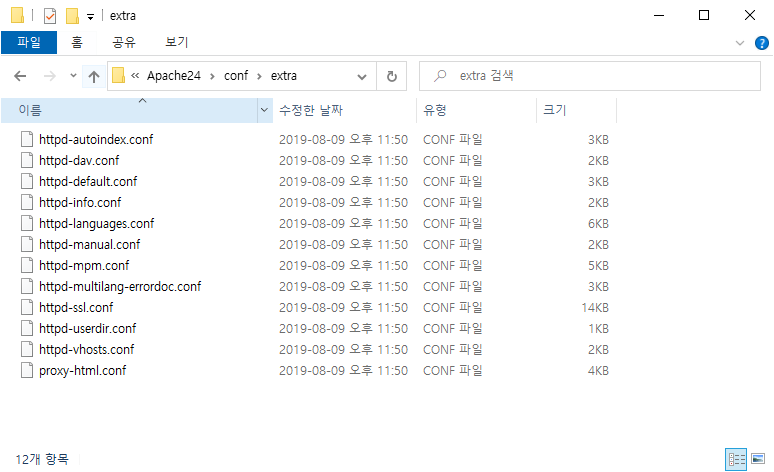
To load another configuration file from http.conf, use the Include directive. As a concrete example, the end of the http.conf file contains content like the following.
# Supplemental configuration
#
# The configuration files in the conf/extra/ directory can be
# included to add extra features or to modify the default configuration of
# the server, or you may simply copy their contents here and change as
# necessary.

# Server-pool management (MPM specific)
#Include conf/extra/httpd-mpm.conf

# Multi-language error messages
#Include conf/extra/httpd-multilang-errordoc.conf

# Fancy directory listings
#Include conf/extra/httpd-autoindex.conf

# Language settings
#Include conf/extra/httpd-languages.conf

# User home directories
#Include conf/extra/httpd-userdir.conf

# Real-time info on requests and configuration
#Include conf/extra/httpd-info.conf

# Virtual hosts
#Include conf/extra/httpd-vhosts.conf

# Local access to the Apache HTTP Server Manual
#Include conf/extra/httpd-manual.conf

# Distributed authoring and versioning (WebDAV)
#Include conf/extra/httpd-dav.conf

# Various default settings
#Include conf/extra/httpd-default.conf

# Configure mod_proxy_html to understand HTML4/XHTML1
<IfModule proxy_html_module>
Include conf/extra/proxy-html.conf
</IfModule>
All of these lines currently have # at the beginning, so they are comments and the supplemental configuration files are not actually loaded. If you want to load the supplemental configuration file for user directories, remove # from the beginning of the line and write it as follows.
# User home directories
Include conf/extra/httpd-userdir.conf
This includes the supplemental configuration file conf/extra/httpd-userdir.conf. For details on using the Include directive, see “Including Configuration Files (Include).”