Apache | Apache Server Management (mod_status) | Displaying Extended Status (ExtendedStatus)
When executing the server-status handler, setting ExtendedStatus to On also lets you view information about the URLs and resources currently being processed.
Search for ExtendedStatus in the httpd-info.conf file, and you should find the following.
#
# ExtendedStatus controls whether Apache will generate "full" status
# information (ExtendedStatus On) or just basic information (ExtendedStatus
# Off) when the "server-status" handler is called. The default is Off.
#
#ExtendedStatus On
The description says the default is Off. Remove the # from ExtendedStatus On and set the extended status to On to view detailed information.
Then set it to On and access http://localhost/server-status.
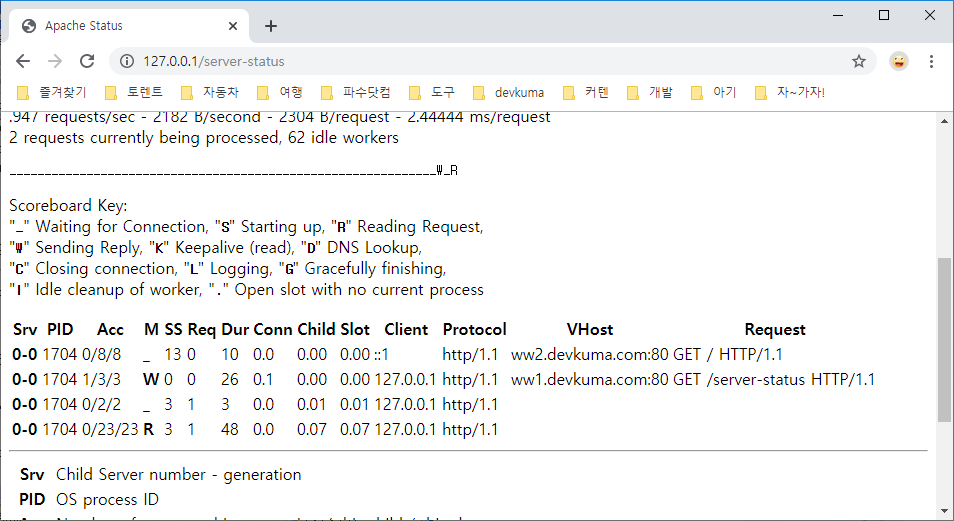
You can see that more detailed information is displayed at the bottom of the screen.