Apache | Configuration for Using PHP | Checking Whether PHP Works
To check whether Apache has been configured successfully to use PHP, create and test a simple script that uses the phpinfo function.
Sample script using the phpinfo function
Open a text editor and write the following.
<?php
phpinfo();
?>
Save it with a file name such as phpinfo.php. Place the saved file in the Apache document root.
C:\apache\Apache24\htdocs>dir
 C 드라이브의 볼륨에는 이름이 없습니다.
 볼륨 일련 번호: XXXX-XXXX

 C:\apache\Apache24\htdocs 디렉터리

2019-12-05  오후 11:32    <DIR>          .
2019-12-05  오후 11:32    <DIR>          ..
2007-06-12  오전 03:53                46 index.html
2019-12-05  오후 11:25                21 phpinfo.php
               2개 파일                  67 바이트
               2개 디렉터리  450,570,784,768 바이트 남음

C:\apache\Apache24\htdocs>
Open a browser and access http://localhost/phpinfo.php.
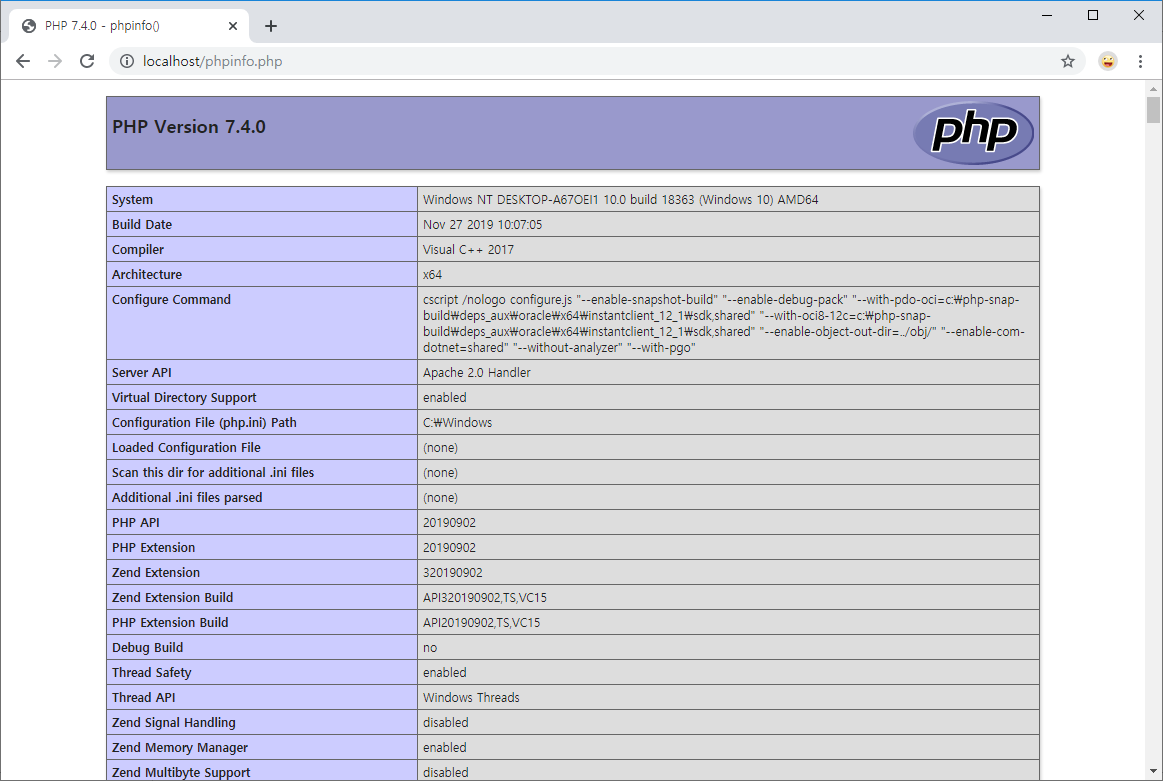
If PHP information is displayed as shown above, PHP can now be used with Apache.