Apache | Access Permissions | Configuring Digest Authentication (htdigest)
Basic authentication can be used in almost every browser, but when the user name and password are sent to the server, they are sent as plain text. If the communication is intercepted, the user name and password may be exposed.
Digest authentication is a method that encrypts information flowing between the browser and server with MD5 during communication.
The configuration method is similar to Basic authentication. Let’s look at it in order.
Creating a password file
First, create a password file. For Basic authentication, Apache provides htpasswd.exe, but for Digest authentication, use htdigest.exe. This file is located in the same place as htpasswd, under (Apache installation directory)/Apache24/bin.
The execution format is as follows.
htdigest option password-file realm-name user-name
Specify the password file to create and the user name to add. To create a new password file, specify the -c option. To add a user to an existing password file, do not specify any option.
The difference from Basic authentication is that the realm name must be specified correctly. This realm name must be the same as the realm name specified by AuthName.
htdigest -c "C:/apache/passwd/digestpass" "Digest Auth" devkuma
In the example above, the password file is C:/apache/passwd/digestpass, the realm name is Digest Auth, and the user name is devkuma, creating a new password file. When creating it, you must enter the configured password twice.
C:\apache\Apache24\bin>htdigest -c "C:/apache/passwd/digestpass" "Digest Auth" devkuma
Adding password for devkuma in realm Digest Auth.
New password: ****
Re-type new password: ****

C:\apache\Apache24\bin>
The created password file is a text file and can be opened with a text editor.
devkuma:Digest Auth:511a7e57972fad36f7687cf36cd57d6e
It is written one user per line in the format user-name:realm-name:password.
Configuring httpd.conf
The httpd.conf configuration is almost the same as Basic authentication.
Specify Digest instead of Basic for AuthType, and specify the same realm name for AuthName that was used when creating the password file. In earlier versions, AuthDigestFile appears to have been used to specify the password file, but since Apache 2.2, AuthUserFile is used.
<Directory "${SRVROOT}/htdocs/admin">
    AuthType Digest
    AuthName "Digest Auth"
    AuthUserFile "C:/apache/passwd/digestpass"
    Require valid-user
</Directory>
Adding the module
To use Digest authentication, the auth_digest_module module must be loaded. By default, it is not loaded. Search for auth_digest_module in the httpd.conf file. There is a description near line 71.
LoadModule allowmethods_module modules/mod_allowmethods.so
LoadModule asis_module modules/mod_asis.so
LoadModule auth_basic_module modules/mod_auth_basic.so
#LoadModule auth_digest_module modules/mod_auth_digest.so <--------- 디폴트로 로드하지 않도록 주석으로 되어 있다.
#LoadModule auth_form_module modules/mod_auth_form.so
#LoadModule authn_anon_module modules/mod_authn_anon.so
If # is written before LoadModule for auth_digest_module, remove it. From then on, the auth_digest_module module will be loaded.
LoadModule asis_module modules / mod_asis.so
LoadModule auth_basic_module modules / mod_auth_basic.so
LoadModule auth_digest_module modules / mod_auth_digest.so  <--------- '#'를 제거하여 주석을 풀었다.
#LoadModule authn_anon_module modules / mod_authn_anon.so
#LoadModule authn_dbm_module modules / mod_authn_dbm.so
Trying Digest authentication
Now configure Digest authentication for the admin directory under the document root. Use the password file created earlier.
<Directory "${SRVROOT}/htdocs/admin">
    AuthType Digest
    AuthName "Digest Auth"
    AuthUserFile "C:/apache/passwd/digestpass"
    Require valid-user
</Directory>
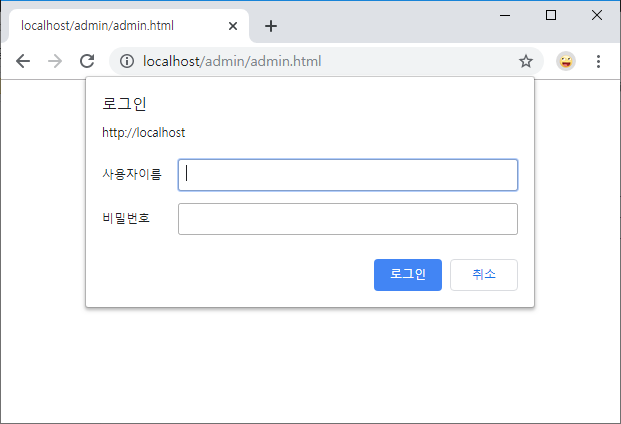
When you access http://localhost/admin/admin.html in a browser, the authentication dialog is displayed as follows.
When accessed from Chrome:
When accessed from Microsoft Edge:
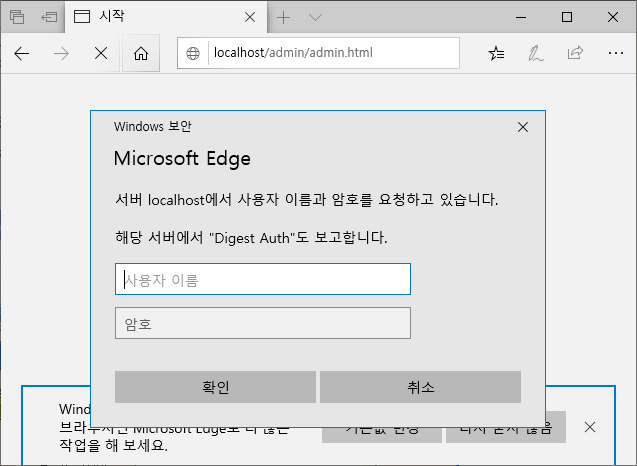
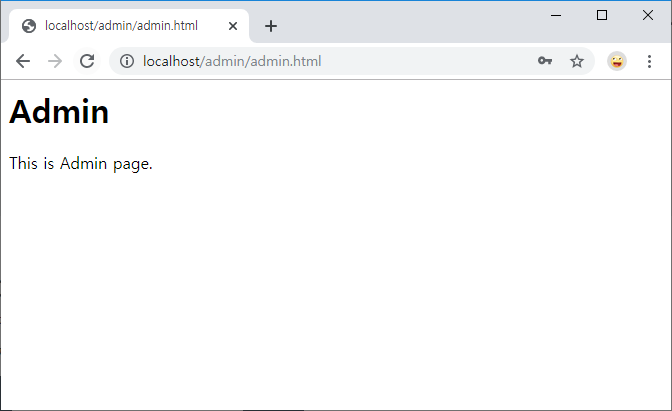
The authentication dialog is slightly different from Basic authentication, but it is basically the same. Enter the correct user name and password, and if authentication succeeds, the page is displayed.
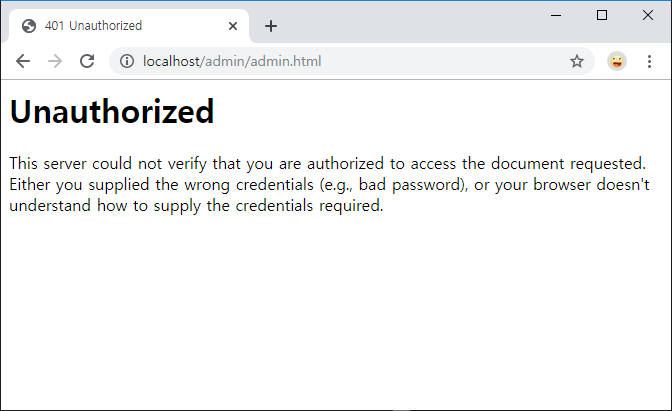
If you click the Cancel button in the authentication dialog, the following error is displayed and the request ends.
Also, if the realm name configured for the user when creating the password file differs from the realm name configured in AuthName, authentication will not succeed even if the user name and password match.