Apache | コンテンツの配置 | エイリアス(Alias)
Apacheでは、エイリアス(Alias)を使用すると、ドキュメントルート(\htdocs)ではないディレクトリへ外部からアクセスできる。
エイリアス(Alias)
クライアントへ公開するコンテンツはドキュメントルート(\htdocs)配下のディレクトリに配置する必要があるが、エイリアス(Alias)を使用すると、まったく別のディレクトリにあるファイルを、ドキュメントルート配下に配置されているように見せることができる。
Alias URL-path file-path|directory-path
クライアント要求に含まれるURLパスが、サーバー上の実際のどのディレクトリに対応するかを指定する。
httpd.confファイルでAliasを検索すると、次のような内容が見つかる。
<IfModule alias_module>
    #
    # Redirect: Allows you to tell clients about documents that used to
    # exist in your server's namespace, but do not anymore. The client
    # will make a new request for the document at its new location.
    # Example:
    # Redirect permanent /foo http://www.example.com/bar

    #
    # Alias: Maps web paths into filesystem paths and is used to
    # access content that does not live under the DocumentRoot.
    # Example:
    # Alias /webpath /full/filesystem/path
    #
    # If you include a trailing / on /webpath then the server will
    # require it to be present in the URL.  You will also likely
    # need to provide a <Directory> section to allow access to
    # the filesystem path.

    #
    # ScriptAlias: This controls which directories contain server scripts.
    # ScriptAliases are essentially the same as Aliases, except that
    # documents in the target directory are treated as applications and
    # run by the server when requested rather than as documents sent to the
    # client.  The same rules about trailing "/" apply to ScriptAlias
    # directives as to Alias.
    #
    ScriptAlias /cgi-bin/ "${SRVROOT}/cgi-bin/"

</IfModule>
Aliasを使用しない場合を考える。ドキュメントルートが${SRVROOT}/htdocsであれば、クライアントからのhttp://localhost/sub/index.htmlのような要求は次のようになる。
http://localhost/sub/index.html
${SRVROOT}/htdocs/sub/index.html
これに対応するように、次のようにAliasを設定する。
Alias /sub/ "C:/apache/data"
この場合、クライアントからのhttp://localhost/sub/index.htmlのような要求は次のようになる。
http://localhost/sub/index.html
C:/apache/data/index.html
Aliasを設定することで、Apacheのドキュメントルート配下に限定されず、Apacheが含まれているディレクトリ以外にも文書を配置できる。
実習
実習として、C:/apache/dataディレクトリを作成し、そのディレクトリ内に次のHTMLファイルを置いてみる。
hello.html
<html>
<head><title>Apache Alias</title></head>
<body>
<h1>Hello World Alias devkuma!</h1>
</body>
</html>
そしてAliasに関する設定を追加する。
<IfModule alias_module>
    #
    # Redirect: Allows you to tell clients about documents that used to
    # exist in your server's namespace, but do not anymore. The client
    # will make a new request for the document at its new location.
    # Example:
    # Redirect permanent /foo http://www.example.com/bar

    #
    # Alias: Maps web paths into filesystem paths and is used to
    # access content that does not live under the DocumentRoot.
    # Example:
    # Alias /webpath /full/filesystem/path
    #
    # If you include a trailing / on /webpath then the server will
    # require it to be present in the URL.  You will also likely
    # need to provide a <Directory> section to allow access to
    # the filesystem path.

    Alias /data/ "C:/apache/data/"
    <Directory "C:/apache/data">
        Require all granted
    </Directory>

    #
    # ScriptAlias: This controls which directories contain server scripts.
    # ScriptAliases are essentially the same as Aliases, except that
    # documents in the target directory are treated as applications and
    # run by the server when requested rather than as documents sent to the
    # client.  The same rules about trailing "/" apply to ScriptAlias
    # directives as to Alias.
    #
    ScriptAlias /cgi-bin/ "${SRVROOT}/cgi-bin/"

</IfModule>
ディレクトリに対する権限が必要なため、Require all grantedを設定している。
ブラウザを起動し、次のURLにアクセスする。
http://localhost/data/hello.html
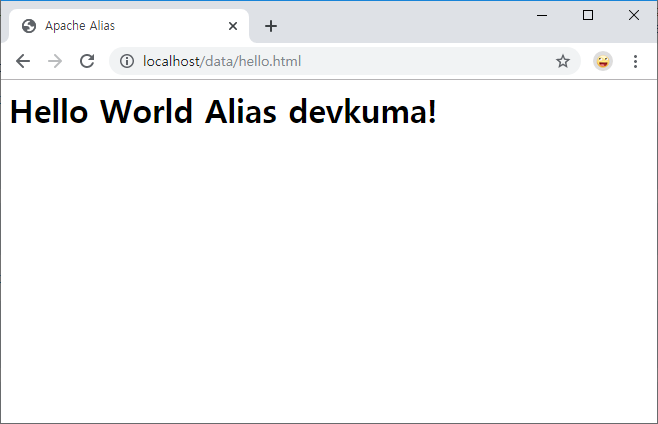
ドキュメントルート以外のディレクトリに配置されたファイルに対して、エイリアス(Alias)を使用して外部からアクセスできるようになった。