SyntaxHighlighter | SyntaxHighlighter Basics | Downloading SyntaxHighlighter
To use SyntaxHighlighter, you need to download the required JavaScript files and the files that define the stylesheets, and then upload them to the web server where you want to apply them. This page explains how to download the files used by SyntaxHighlighter.
Downloading SyntaxHighlighter
The official SyntaxHighlighter site is shown below.
http://alexgorbatchev.com/SyntaxHighlighter/
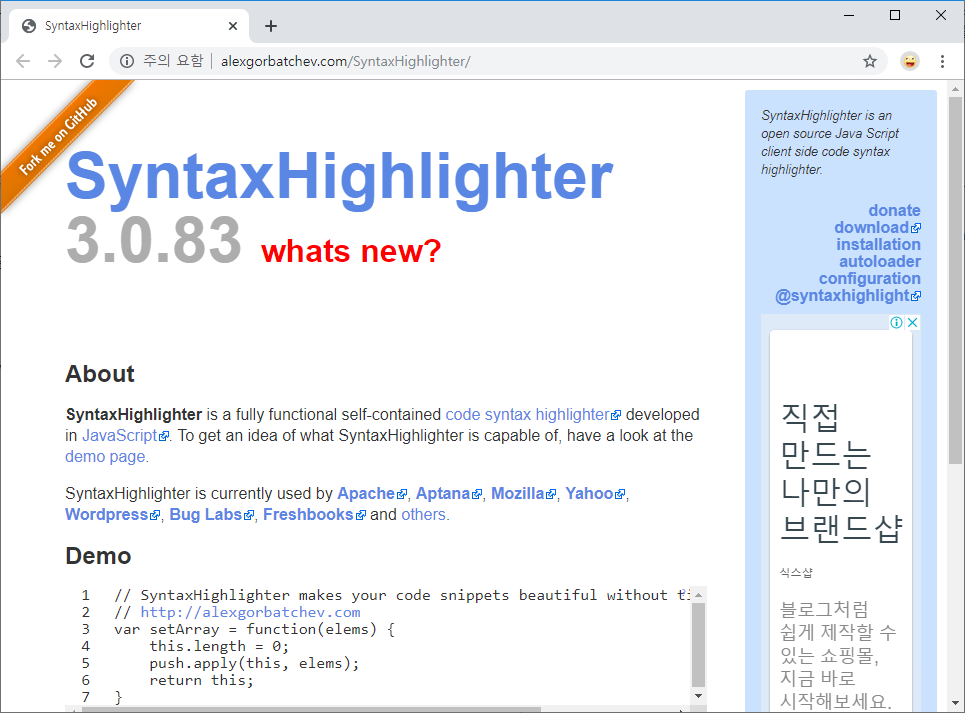
As of December 2019, the latest version is listed as SyntaxHighlighter 3.0.83. To download it, click the link labeled “download” shown at the top right of the screen.
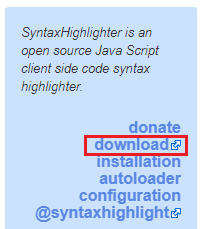
The GitHub screen appears.
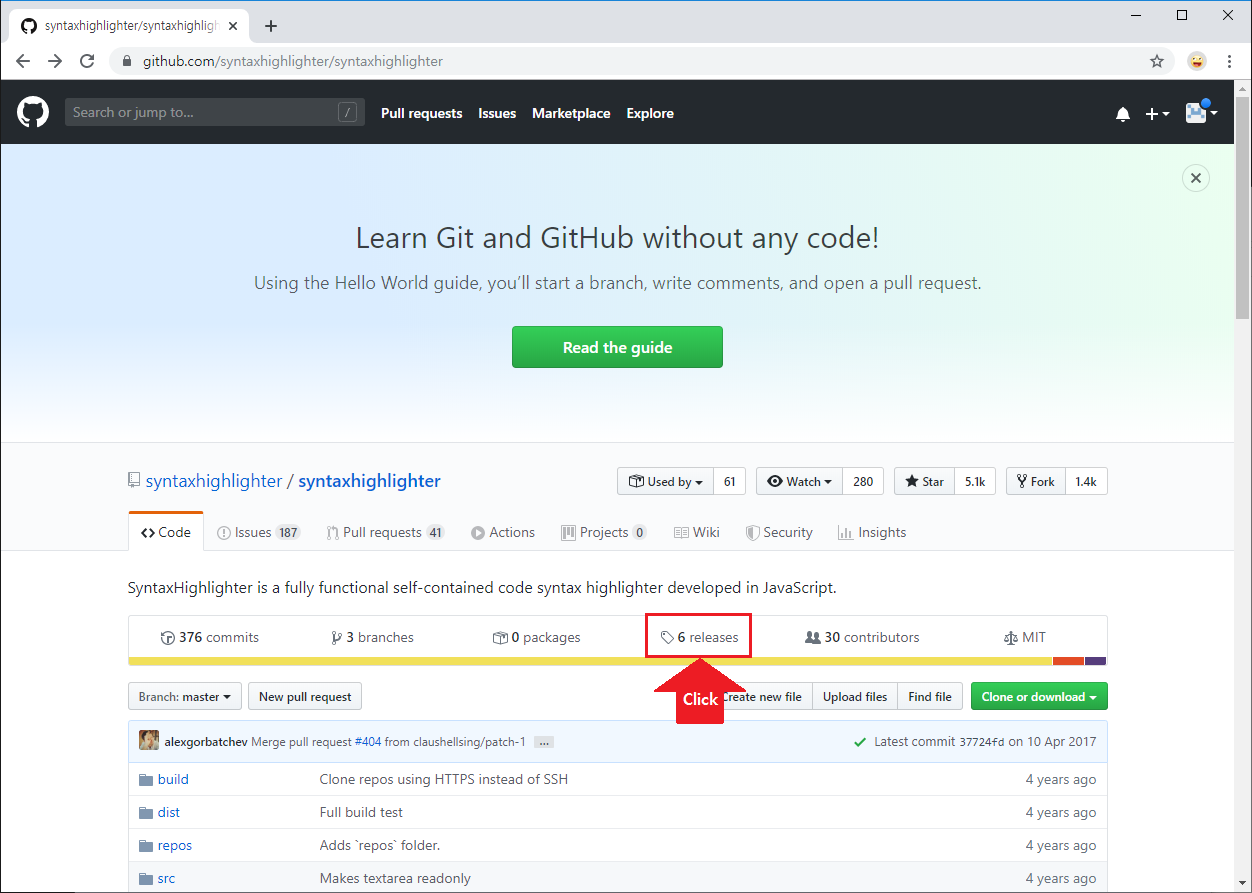
Click the area labeled releases. You will move to the GitHub releases screen.
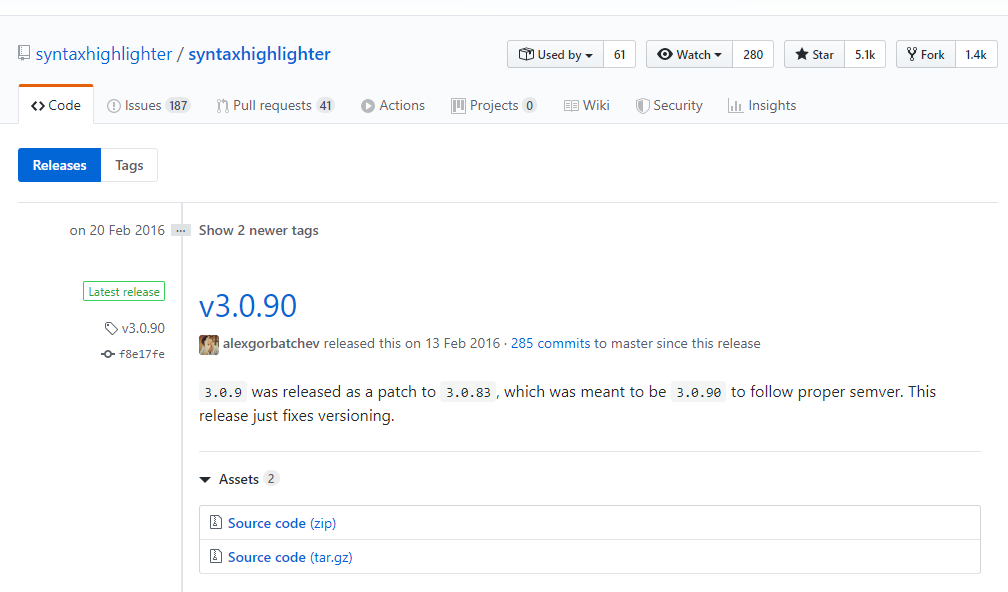
The latest version on the official website is 3.0.83, but here 3.0.90 is shown as the latest. Reading the content, it appears to be a security patch, but when downloaded, it contains development version code rather than a release file. It does not seem to have been officially released.
Scroll down a little more and you will see 3.0.83, so download that version.
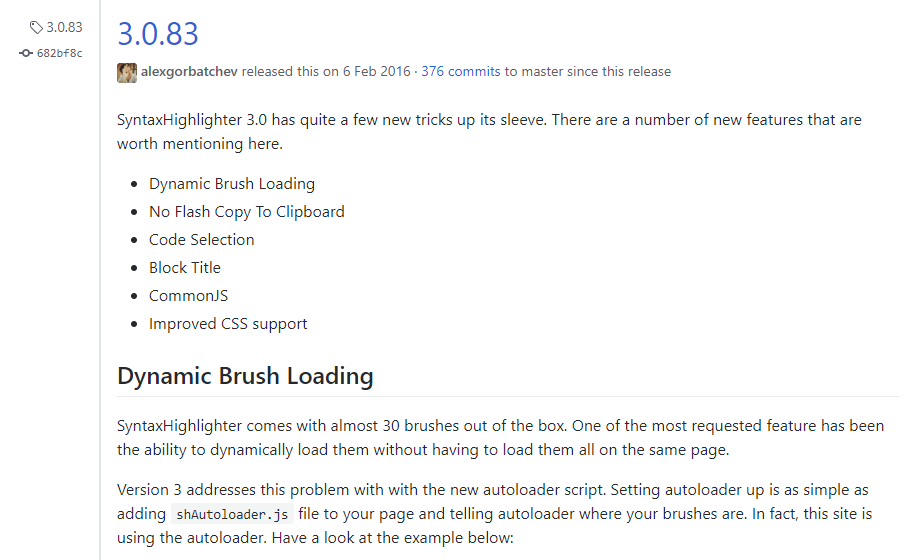
To download it, click the Source code link in the section below, and the “syntaxhighlighter_3.0.83.zip” file will be downloaded.
List of downloaded files
When you extract the downloaded file, it contains the following files.
$ ls -al
total 41
drwxr-xr-x 1 kimkc 197121  0 12월 13 00:17 ./
drwxr-xr-x 1 kimkc 197121  0 12월 13 00:17 ../
-rw-r--r-- 1 kimkc 197121 72  7월  2  2010 .hgignore
drwxr-xr-x 1 kimkc 197121  0 12월 13 00:17 build/
drwxr-xr-x 1 kimkc 197121  0 12월 13 00:17 compass/
drwxr-xr-x 1 kimkc 197121  0 12월 13 00:17 demos/
drwxr-xr-x 1 kimkc 197121  0 12월 13 00:17 scripts/
drwxr-xr-x 1 kimkc 197121  0 12월 13 00:17 styles/
drwxr-xr-x 1 kimkc 197121  0 12월 13 00:17 tests/
$
The files actually needed are the files inside the “scripts” directory and the “styles” directory.
The “scripts” directory contains JavaScript files for each programming language.
$ ls
shAutoloader.js        shBrushDelphi.js   shBrushPhp.js         shBrushVb.js
shBrushAppleScript.js  shBrushDiff.js     shBrushPlain.js       shBrushXml.js
shBrushAS3.js          shBrushErlang.js   shBrushPowerShell.js  shCore.js
shBrushBash.js         shBrushGroovy.js   shBrushPython.js      shLegacy.js
shBrushColdFusion.js   shBrushJava.js     shBrushRuby.js        XRegExp.js
shBrushCpp.js          shBrushJavaFX.js   shBrushSass.js
shBrushCSharp.js       shBrushJScript.js  shBrushScala.js
shBrushCss.js          shBrushPerl.js     shBrushSql.js
The “styles” directory contains stylesheet files that define themes for how source code is displayed in color. Several themes are available, so you can choose the theme you like. Themes are common across programming languages.
$ ls
shCore.css            shCoreMDUltra.css   shThemeEmacs.css
shCoreDefault.css     shCoreMidnight.css  shThemeFadeToGrey.css
shCoreDjango.css      shCoreRDark.css     shThemeMDUltra.css
shCoreEclipse.css     shThemeDefault.css  shThemeMidnight.css
shCoreEmacs.css       shThemeDjango.css   shThemeRDark.css
shCoreFadeToGrey.css  shThemeEclipse.css
This will be explained in detail on another page, but you only need to load the required files from these in your HTML file.
In addition, the “test” directory contains simple examples. They will not run without separate configuration, but they can help you understand how to write the code.
$ ls -al
total 35
drwxr-xr-x 1 kimkc 197121    0 12월 13 00:17 ./
drwxr-xr-x 1 kimkc 197121    0 12월 13 00:17 ../
-rw-r--r-- 1 kimkc 197121   23  7월  2  2010 .rvmrc
drwxr-xr-x 1 kimkc 197121    0 12월 13 00:17 brushes/
-rw-r--r-- 1 kimkc 197121 4048  7월  2  2010 brushes_tests.html
drwxr-xr-x 1 kimkc 197121    0 12월 13 00:17 cases/
-rw-r--r-- 1 kimkc 197121  820  7월  2  2010 commonjs_tests.js
drwxr-xr-x 1 kimkc 197121    0 12월 13 00:17 js/
-rw-r--r-- 1 kimkc 197121 6597  7월  2  2010 syntaxhighlighter_tests.html
-rw-r--r-- 1 kimkc 197121 3755  7월  2  2010 theme_tests.html
-rw-r--r-- 1 kimkc 197121  276  7월  2  2010 webrick.rb
-rwxr-xr-x 1 kimkc 197121   26  7월  2  2010 webrick.sh*