Swift Introduction | Preparing to Use Swift | Running a Playground
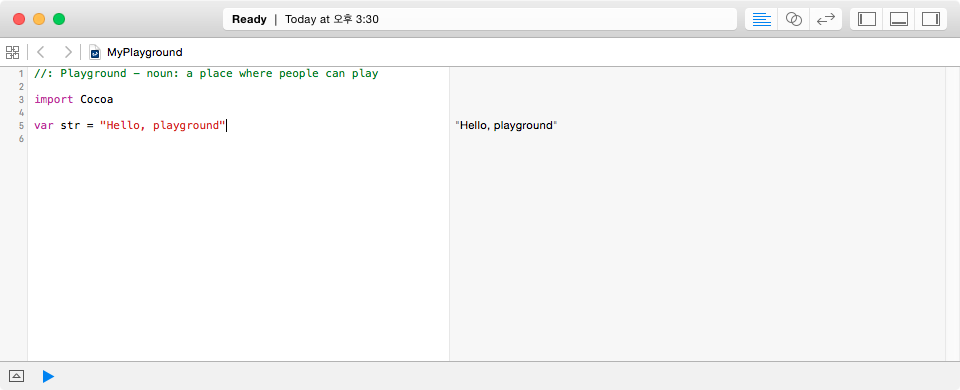
A newly created playground contains a few simple statements by default. Let us understand what they mean.
// Playground - noun: a place where people can play

import Cocoa

var str = "Hello, playground"
Importing a Library
import Cocoa
This imports the Cocoa framework. macOS and iOS include Cocoa, a framework for working with operating-system features. The import statement loads a specified library so that your program can use it.
Using a Variable
var str = "Hello, playground"
This statement contains several elements. First, var str creates a variable named str. The text value is written inside double quotation marks.
The text "Hello, playground" displayed to the right of the editor is the result of executing the var str statement.
A playground immediately displays the result of each statement. For example, when you create a variable and assign a value, the stored value appears on the right. This is a convenient feature.
Using a playground, you can write a program incrementally and inspect the result immediately. You now have an environment for trying Swift.
The following articles use a playground to explain basic Swift syntax.