Introduction to XML | XML Basics | XML Declaration
An XML declaration at the beginning of a document specifies the XML version and character encoding.
Writing an XML Declaration
Write the XML declaration at the beginning of an XML document.
<?xml version="version" encoding="character encoding"?>
Specify the XML version in version. XML versions include 1.0 and 1.1, but 1.0 is commonly used.
Specify the encoding used to save the document. For example, write UTF-8 for a UTF-8 file and EUC-KR for an EUC-KR file.
<?xml version="1.0" encoding="UTF-8" ?>
<foods>
  <food>
    <name>banana</name>
    <color>yellow</color>
  </food>

  <food>
    <name>apple</name>
    <color>red</color>
  </food>
</foods>
The first line declares XML version 1.0 and UTF-8 encoding.
If the declared encoding differs from the encoding actually used by the file, an error occurs. For example, the following declaration is incorrect for a file saved as UTF-8.
<?xml version="1.0" encoding="EUC-KR" ?>
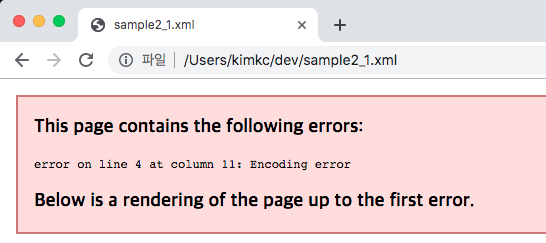
Always specify the actual character encoding.
Omitting the XML Declaration
The XML declaration can be omitted when the document uses UTF-8 or UTF-16.
<foods>
  <food>
    <name>banana</name>
    <color>yellow</color>
  </food>
</foods>
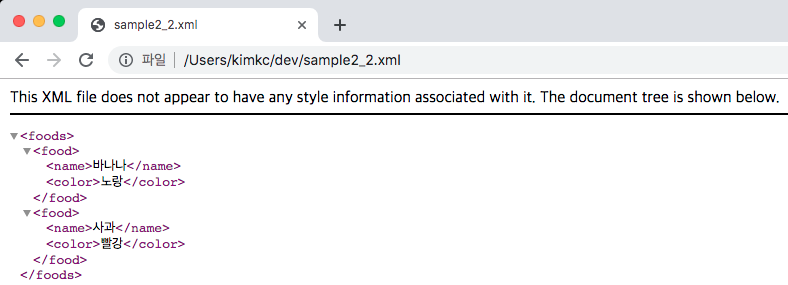
If you omit the declaration while using another encoding such as EUC-KR, an encoding error may occur.
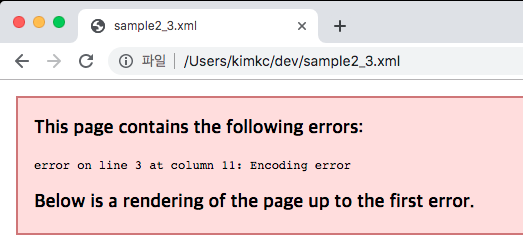
Even when using UTF-8, writing the XML declaration makes the intended encoding clear.