Python Introduction | Python Development Environment | Starting IDLE
Starting IDLE
Now let us start using Python. The Python program itself is simply an interpreter, a command-line program without a GUI. Python also includes a simple tool called IDLE. We will use it to run Python.
On Windows, find the “Python 3” shortcut from the Start menu and select “IDLE.” On macOS, launch IDLE from the “Python 3” folder installed in the Applications folder.
IDLE is a very simple tool that resembles a text editor, and it can be used as one. Its distinguishing feature is an “interactive shell.”
An interactive shell lets you run Python interactively. Enter a Python statement in IDLE and press Enter or Return to display the result immediately. You can check how Python behaves by executing statements one at a time.
In the open IDLE window, enter the following statement and press Enter or Return.
print("Hello Python!")
The text “Hello Python!” appears on the next line.
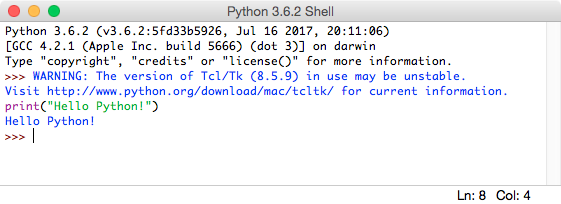
You can work by repeatedly running Python code and reviewing the results. This interactive shell is particularly useful when you begin learning Python.