Introduction to XML | XML Basics | Creating an XML Document
This article explains how to create a new XML document, save it to a file, and display it with an XML viewer.
Creating an XML Document with a Text Editor
The detailed XML syntax is explained on later pages. This article begins with the basic workflow for writing and saving a document. You do not need a special application. An XML document is a text file, so you can create one with an ordinary text editor.
Create a new document and enter the following example.
sample1_1.xml
<?xml version="1.0" encoding="UTF-8" ?>
<foods>
  <food>
    <name>banana</name>
    <color>yellow</color>
  </food>

  <food>
    <name>apple</name>
    <color>red</color>
  </food>
</foods>
Save the file when you finish editing. Ordinary text files often use the .txt extension, but XML documents conventionally use .xml, such as myfoods.xml.
UTF-8 and UTF-16 are commonly used character encodings, but other encodings can also be used. Specify the encoding in the XML declaration explained on the next page.
Displaying an XML Document
Use an XML viewer to display a document. Browsers such as Chrome and Firefox can act as XML viewers.
Open the file you created in Chrome. It is displayed as follows.
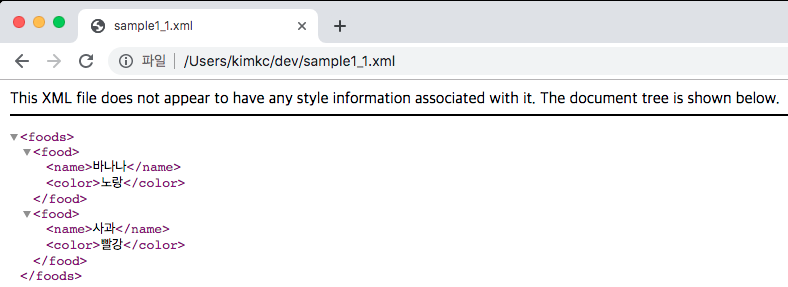
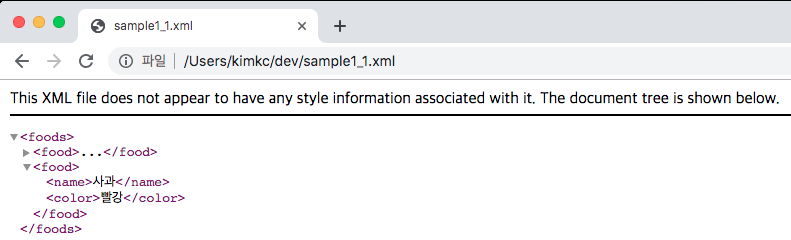
An XML document has a hierarchical structure. When the file opens, the entire hierarchy is expanded. Click an arrow to collapse a section.
This page introduced how to create an XML document with a text editor and view it in a browser. The following pages explain the XML syntax.