SQLite | Installing SQLite | Downloading and Installing the SQLite Command-Line Tool
This page explains how to download and install the SQLite command-line program so that you can use SQLite from the command line. As of October 2019, the latest version was SQLite 3.30.1 (2019-10-11).
Download SQLite
Open the official SQLite website in a browser.
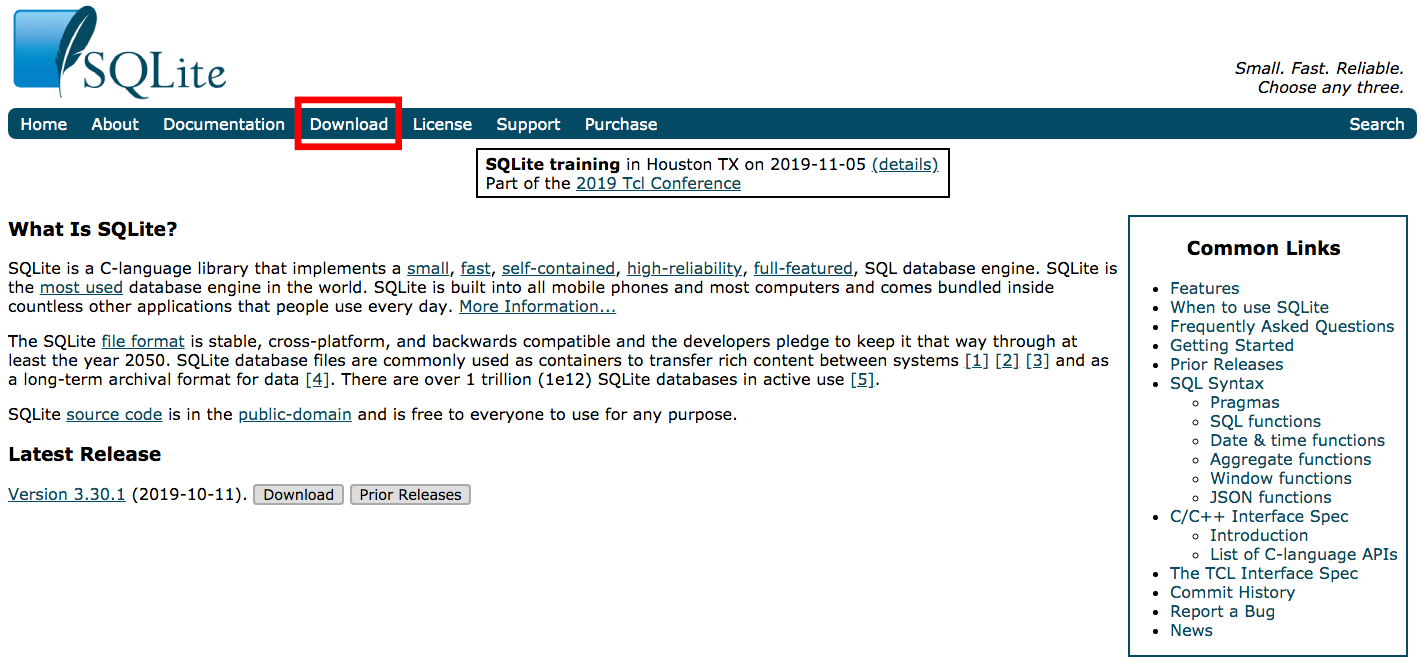
Click the “Download” menu at the top of the page.
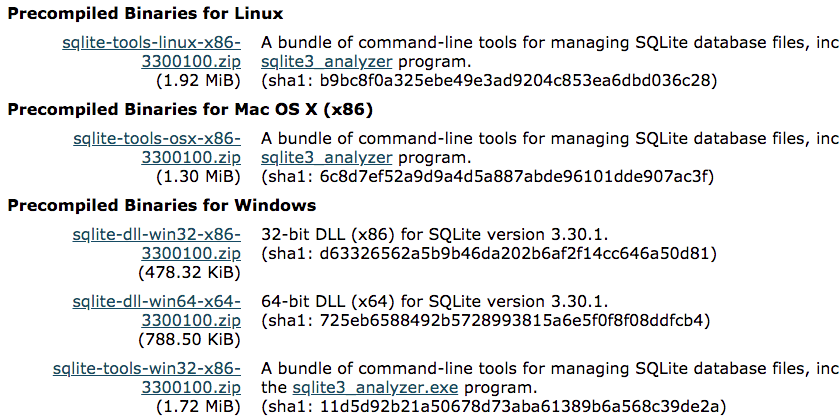
Click the tool binary for your operating system, such as a file named in the sqlite-tools-xxx format, download it, and save it wherever you prefer.
Install the SQLite Command-Line Program
The downloaded file is a compressed archive. Installation is complete once you extract it to any directory.
$ ls -al
total 5016
drwxr-xr-x@  5 kimkc  staff      170 10 11 18:32 .
drwxr-xr-x  41 kimkc  staff     1394 10 14 23:41 ..
-rwxr-xr-x@  1 kimkc  staff   691768 10 11 18:31 sqldiff
-rwxr-xr-x@  1 kimkc  staff  1152260 10 11 18:32 sqlite3
-rwxr-xr-x@  1 kimkc  staff   719796 10 11 18:31 sqlite3_analyzer
The archive contains three files: sqlite3, the command-line tool; sqldiff, which reports differences between two databases; and sqlite3_analyzer, which displays database analysis reports.