Installing ZooKeeper with Docker for a Development Environment
Docker Images
We will install ZooKeeper in a Docker environment using the Docker images below.
- Official ZooKeeper Docker image
- ZooKeeper Web Docker image
Docker Configuration and Execution
Create a Working Directory
Create a working directory in an appropriate location.
% mkdir zookeeper
% cd zookeeper
Write docker-compose
Create docker-compose.yml and write the following content.
version: '3.1'
services:
  zookeeper:
    container_name: zookeeper-server
    image: zookeeper
    ports:
      - 2181:2181
Run docker-compose
After writing the yml file, run it with the following command.
docker-compose -f docker-compose.yml up -d
Check the Docker Container
When you run the command above, you can confirm that Kafka and Zookeeper are running.
docker ps -a
% docker ps -a
CONTAINER ID   IMAGE                      COMMAND                  CREATED          STATUS                   PORTS                                                  NAMES
6f95cc0e6a9a   zookeeper                  "/docker-entrypoint.…"   17 seconds ago   Up 16 seconds            2888/tcp, 3888/tcp, 0.0.0.0:2181->2181/tcp, 8080/tcp   zookeeper
Install web-console
Install a web-console for easier use.
Add the ZK-Web console Docker service to the yml file written above.
version: '3.7'
services:
  zookeeper:
    container_name: zookeeper-server
    image: zookeeper
    ports:
      - 2181:2181
  zk-web:
    container_name: zk-web-server
    image: goodguide/zk-web
    ports:
      - 8080:8080
    environment:
      - ZKWEB_PORT=8080                 # Web Port
      - ZKWEB_CREDENTIALS=admin:hello   # Admin account:password
      - ZKWEB_DEFAULT_NODE=localhost:2181/default-node

networks:
  promnet:
    driver: bridge
Remove the existing docker-compose environment with the rm command, and then run it again with up.
% docker-compose stop
% docker-compose rm
% docker-compose -f docker-compose.yml up -d
If it is installed correctly, you can access zk-web at localhost:8080.
Check znode in web-console
First, check the ZooKeeper server address.
Check the container ID with the ps command.
% docker ps -a
CONTAINER ID   IMAGE                  COMMAND                  CREATED         STATUS        PORTS                                                  NAMES
fdf840485d3d   zookeeper              "/docker-entrypoint.…"   2 seconds ago   Up 1 second   2888/tcp, 3888/tcp, 0.0.0.0:2181->2181/tcp, 8080/tcp   zookeeper
5e55c24e6186   noteax/zk-web-docker   "/docker-entrypoint.…"   2 seconds ago   Up 1 second   0.0.0.0:8080->8080/tcp                                 zk_web
Enter the confirmed ID as shown below and run the inspect command.
docker inspect ${CONTAINER ID}
With the inspect command, check the container’s Gateway IP under NetworkSettings > Networks > Gateway.
% docker inspect fdf840485d3d
[
        ...
        "NetworkSettings": {
            ...
            "Networks": {
                "zookeeper_default": {
                    ...
                    "Gateway": "172.20.0.1",
                    ...
                }
            }
        }
        ...
]
In the example above, the Gateway IP is 172.20.0.1.
Go to ZK-Web and enter {Gateway IP}:2181 in the input field below. Based on the example above, enter 172.20.0.1:2181.
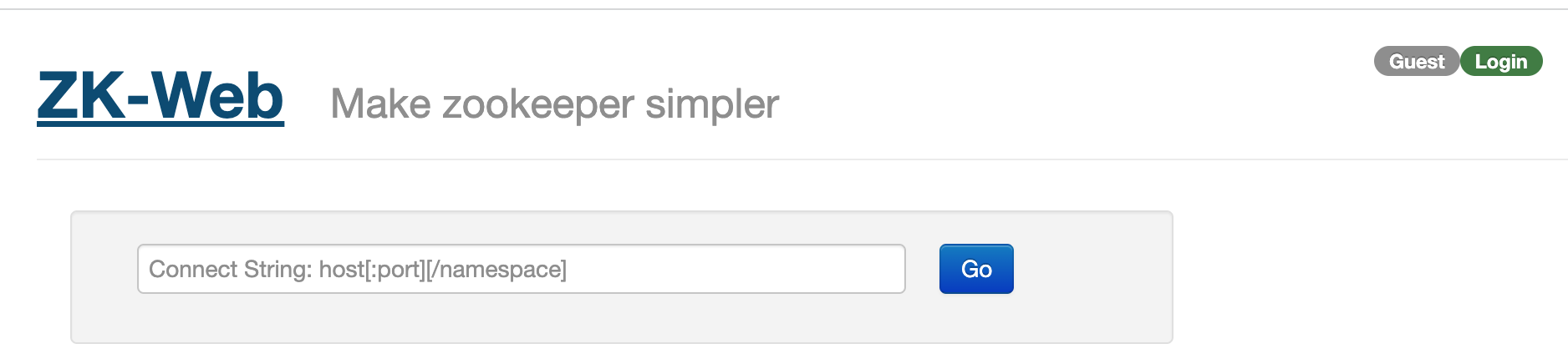
Click the login button and log in with the admin account configured above. You can then create, edit, and delete data.
Cluster Configuration
You can easily configure a cluster with the following settings.
version: '3.7'
services:
  zk1:
    image: zookeeper
    hostname: zk1
    ports:
      - 2181:2181
    environment:
      ZOO_MY_ID: 1
      ZOO_SERVERS: server.1=0.0.0.0:2888:3888;2181 server.2=zk2:2888:3888;2181 server.3=zk3:2888:3888;2181
    restart: always
  zk2:
    image: zookeeper
    hostname: zk2
    ports:
      - 2182:2181
    environment:
      ZOO_MY_ID: 2
      ZOO_SERVERS: server.1=zk1:2888:3888;2181 server.2=0.0.0.0:2888:3888;2181 server.3=zk3:2888:3888;2181
    restart: always
  zk3:
    image: zookeeper
    hostname: zk3
    ports:
      - 2183:2181
    environment:
      ZOO_MY_ID: 3
      ZOO_SERVERS: server.1=zk1:2888:3888;2181 server.2=zk2:2888:3888;2181 server.3=0.0.0.0:2888:3888;2181
    restart: always

  zk-web:
    container_name: zk_web
    image: noteax/zk-web-docker
    ports:
      - 8080:8080
    environment:
      - ZKWEB_PORT=8080                # Web Port
      - ZKWEB_CREDENTIALS=admin:hello  # Admin account:password
      - ZKWEB_DEFAULT_NODE=localhost:2181/default-node
    restart: always