Kotest IntelliJ Plugin Test Explorer
The plugin provides a tool window view that displays the test structure. This window describes the currently selected test file and includes the specs defined in that file and the tests contained in those specs. The tree layout reflects the test structure, making navigation easy.
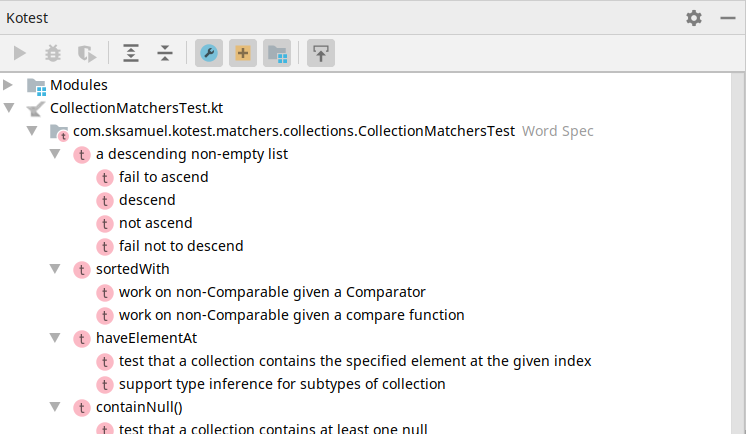
The tool window includes lifecycle callback methods, such as before/after test, and included test factories when they are defined.
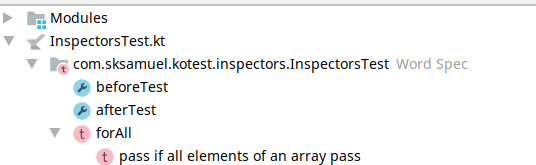
Clicking a spec, test, include, or callback jumps directly to that element in the source editor.
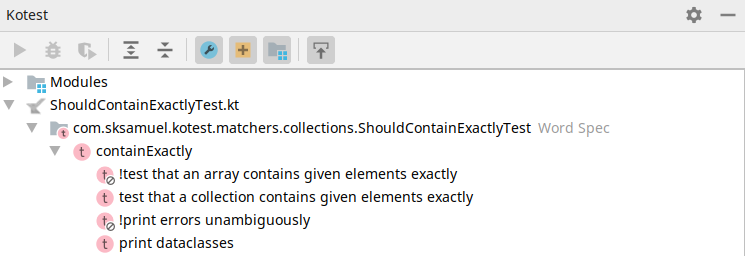
Any test disabled with the Bang prefix displays a different icon.
You can run tests or specs directly from this window: run, debug, or run with coverage. This window also displays all test modules and can run all tests in those modules.
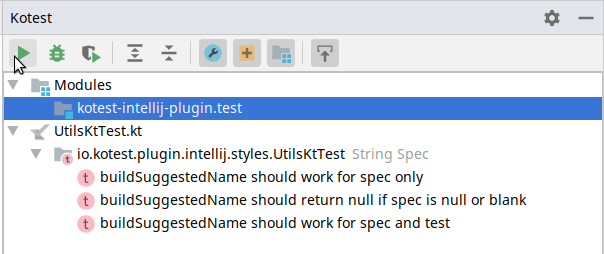
Modules, callbacks, and includes can be filtered out if you do not want to see them. They are included by default.