Kotest Allure Extension
Allure is an open source framework designed for detailed interactive test reports. It works by generating report files and then using them to create the final HTML report. You can think of it as similar to traditional JUnit reports, but more advanced and detailed.
There are two steps. The first step is generating raw data when tests run, and the second step is compiling that data into an interactive HTML report.
This module provides integration for using Allure with Kotest. To get started, add the following dependency to your Gradle build file.
io.kotest.extensions:kotest-extensions-allure:${kotest.version}


Note: The group ID is different from the default Kotest dependency,
io.kotest. It isio.kotest.extensions.
Data Collection
Allure has data collectors for most test frameworks, and this module provides integration for Kotest. Once the module is added to the build, connect the AllureTestReporter class globally using project configuration.
class MyConfig : AbstractProjectConfig {
    override fun listeners() = listOf(AllureTestReporter())
}
Now, whenever tests run, Kotest writes test data in Allure JSON format.
Gradle Plugin
Now that the tests are complete, the data can be compiled into the final report.
You can do this manually using the Allure binary, or you can use the Allure Gradle plugin. To use the Gradle plugin, first add the plugin to the plugin block in your build.
plugins {
  ...
  id("io.qameta.allure") version "2.8.1"
}
Next, add the Allure configuration section to set the version and disable autoconfiguration, because Allure can only autoconfigure JUnit and Kotest handles this itself.
allure {
  autoconfigure = false
  version = "2.13.1"
}
Finally, run the Gradle task allureReport. A report is generated under ./build/reports/allure-report, where you can find the report’s index.html entry point.
Build Directory Settings
If you are not using the Gradle plugin, you need to tell Allure where the build directory is by setting the allure.results.directory system property in the test configuration. If you use the Gradle plugin, the plugin handles this automatically, so you can skip this step.
For example:
tasks.named<Test>("test") { // or "jvmTest" etc
   useJUnitPlatform()
   systemProperty("allure.results.directory", project.buildDir.toString() + "/allure-results")
}
Final Report
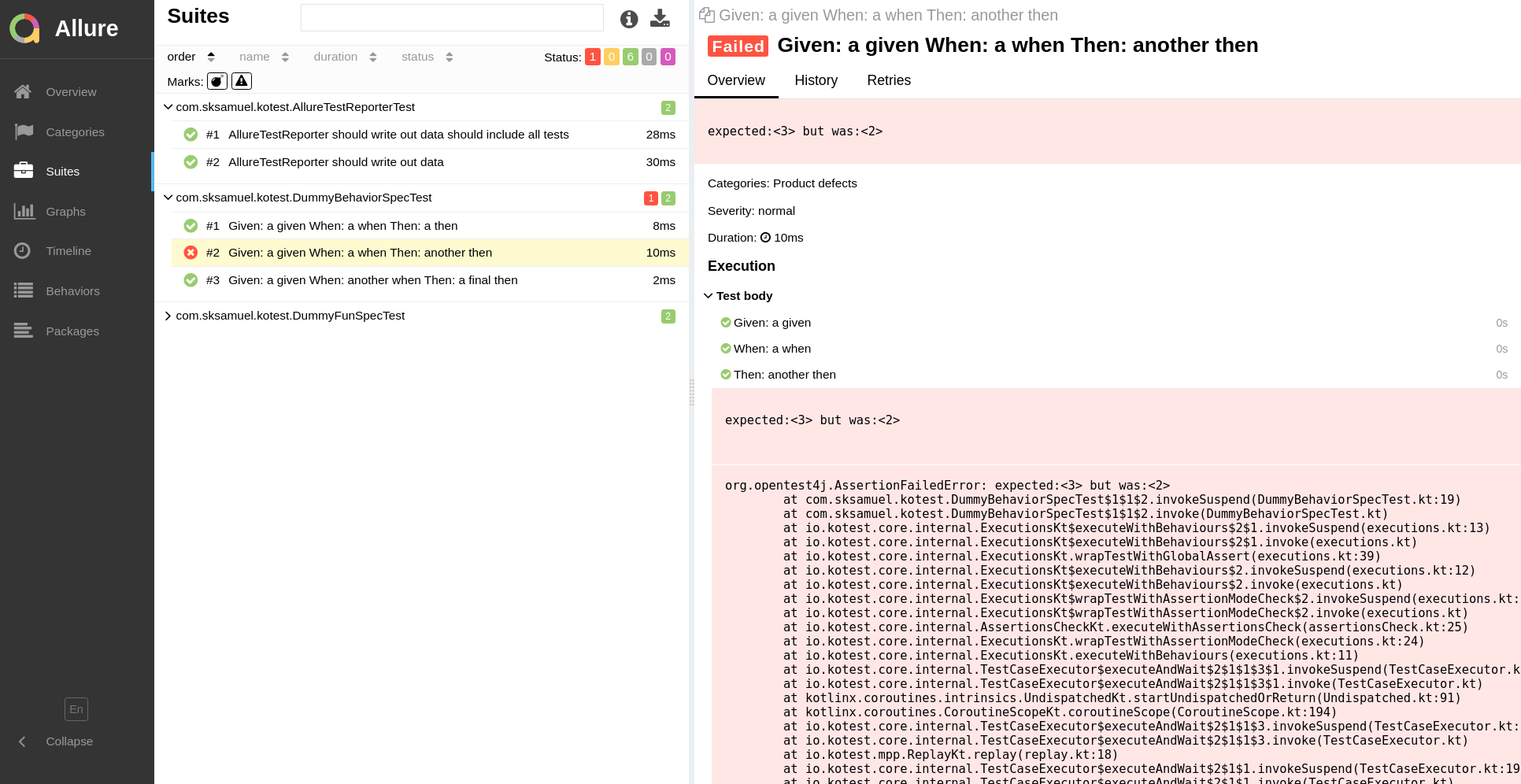
If everything completes successfully, after test execution and report generation you will see something like this: