JUnit 5 Parallel Execution
Parallel Test Execution
By default, all test methods run sequentially on a single thread. JUnit 5 can execute tests in parallel when configured.
Enabling Parallel Execution
Create junit-platform.properties at the classpath root and enable parallel execution.
/test/resource/junit-platform.properties
junit.jupiter.execution.parallel.enabled=true
This setting alone does not make test methods parallel. To run methods concurrently, set @Execution(ExecutionMode.CONCURRENT) on the test class. SAME_THREAD runs tests on the same thread as the parent and is the default.
Changing the Default Execution Mode
Set the following property to make the default method execution mode concurrent.
junit.jupiter.execution.parallel.enabled=true
junit.jupiter.execution.parallel.mode.default=concurrent
Some tests are excluded from this default concurrent mode, including test classes using Lifecycle.PER_CLASS and ordered tests except MethodOrderer.Random. If such tests are thread-safe and you still want them to run concurrently, explicitly add @Execution(ExecutionMode.CONCURRENT).
Changing the Top-Level Class Default
junit.jupiter.execution.parallel.mode.classes.default=concurrent changes only the default execution mode for top-level classes. In that configuration, different test classes can run on different threads while methods inside each class still run sequentially.
Execution by Setting
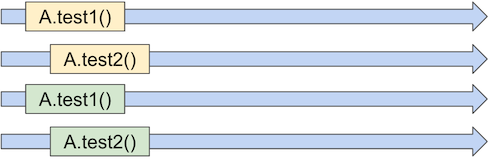
The combination of junit.jupiter.execution.parallel.mode.default and junit.jupiter.execution.parallel.mode.classes.default produces four patterns.
- Both
same_thread: classes and methods run sequentially. - Method
same_thread, classconcurrent: classes run in parallel, methods in each class run sequentially. - Method
concurrent, classsame_thread: methods inside a class run in parallel, classes run sequentially. - Both
concurrent: classes and methods all run in parallel.



Changing Parallelism
With the dynamic strategy, junit.jupiter.execution.parallel.config.dynamic.factor multiplies the number of available processors to decide the number of parallel threads.
junit.jupiter.execution.parallel.enabled=true
junit.jupiter.execution.parallel.config.strategy=dynamic
junit.jupiter.execution.parallel.mode.default=concurrent
junit.jupiter.execution.parallel.config.dynamic.factor=2
The factor can also be a decimal. JUnit uses BigDecimal internally and converts the calculated value to int.
For a fixed value, use fixed and specify junit.jupiter.execution.parallel.config.fixed.parallelism.
junit.jupiter.execution.parallel.enabled=true
junit.jupiter.execution.parallel.config.strategy=fixed
junit.jupiter.execution.parallel.mode.default=concurrent
junit.jupiter.execution.parallel.config.fixed.parallelism=6
For custom parallelism, implement ParallelExecutionConfigurationStrategy and specify it with junit.jupiter.execution.parallel.config.custom.class.
Exclusive Control
Exclusive control prevents problems when multiple tests access a shared resource at the same time. Use @ResourceLock on a class or method. Tests with the same lock key are synchronized.
Access Modes
@ResourceLock supports access modes with ResourceAccessMode.
| Previous process | Later process | Later process |
|---|---|---|
| READ | READ | Can run |
| READ | READ_WRITE | Waits |
| READ_WRITE | READ | Waits |
| READ_WRITE | READ_WRITE | Waits |
READ can run in parallel with other reads, but READ_WRITE is exclusive. Use READ for tests that only read data and READ_WRITE for tests that update data.