JUnit 5 Tag Filtering - @Tag
How to run only tests with selected tags
Tag Filtering
By specifying @Tag on tests, you can run tests according to the tag names you provide.
Assigning Tags
@Tag can be added to a test class or method to tag test cases. A single test can have multiple tags.
Running with ConsoleLauncher
ConsoleLauncher can target matching or non-matching tags with CLI options such as --include-tag.
Examples of tag expressions:
tag3: run tests withtag3.tag1 & tag3: run tests that have both tags.tag1 | tag2: run tests that have either tag.!tag1 & tag3: run tests that do not havetag1but havetag3.( !tag1 & tag3 ) | tag4: group conditions with parentheses.
Tag names must not be null or empty, must not include whitespace or control characters, and must not include reserved characters such as (, ), ,, &, |, or !.
Running from Gradle
In Gradle, specify tag filtering inside useJUnitPlatform.
test {
    useJUnitPlatform {
        includeTags "tag1 | !tag3"
    }
}
You can use includeTags or excludeTags. Tag expressions support !, &, and | operators.
Running from IntelliJ IDEA
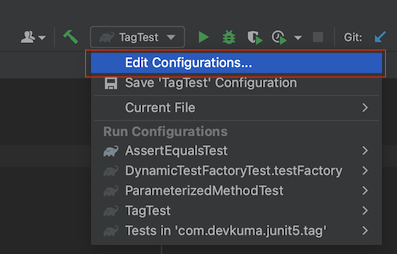
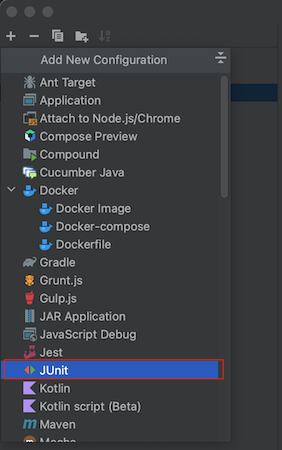
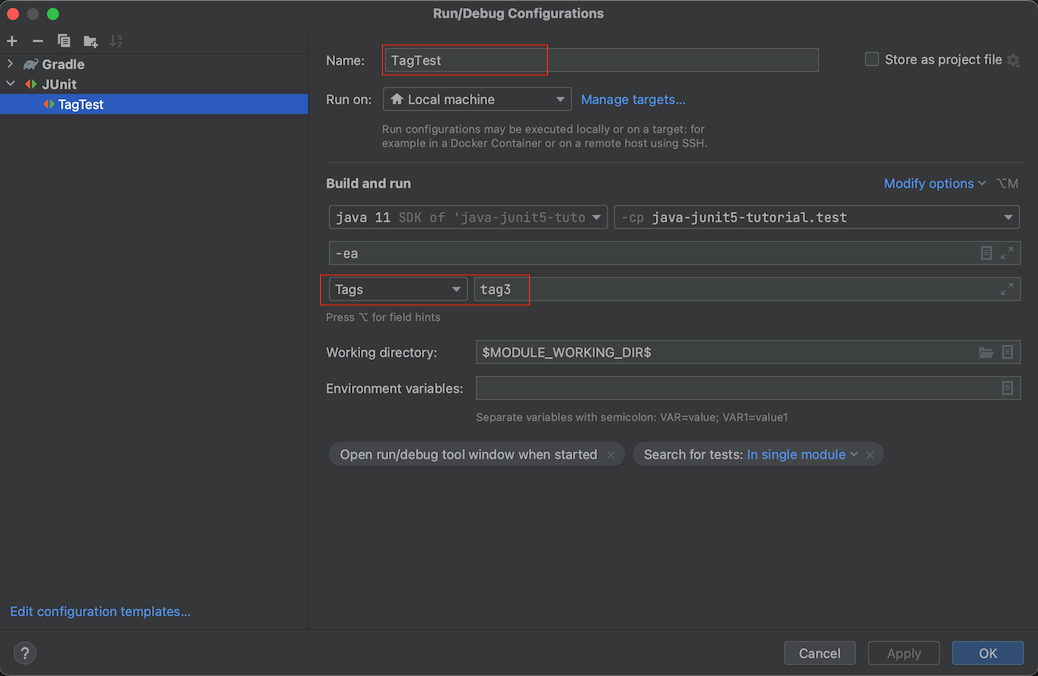
Create a JUnit run configuration, choose Tags, and enter the tag name. IntelliJ IDEA then runs only the tests matching that tag.