シンプルなSpring Cloudの実装
Spring Cloudはcloud native applicationを作るための便利なtoolです。cloud native systemはcloud利用を前提に設計され、複数の小さなserviceを組み合わせて大きなsystemを構築します。
全体構成
DiscoveryServer: application情報を登録し、load balancerの役割を担います。GatewayServer: すべてのrequestの入口になります。BackendService: 実際のresponseを返します。
DiscoveryServerの実装
Netflix Eurekaを使います。Spring Boot applicationに@EnableEurekaServerを追加するだけでEureka serverを作成できます。
Project作成
curl https://start.spring.io/starter.tgz  \
-d bootVersion=2.4.5 \
-d dependencies=spring-discovery-server \
-d baseDir=spring-eureka-server \
-d artifactId=discovery-server \
-d packageName=com.devkuma.cloud.discovery.server \
-d applicationName=DiscoveryServerApplication \
-d packaging=jar \
-d javaVersion=1.8 \
-d type=gradle-project | tar -xzvf -
Source code
package com.devkuma.cloud.discovery.server;

import org.springframework.boot.SpringApplication;
import org.springframework.boot.autoconfigure.SpringBootApplication;
import org.springframework.cloud.netflix.eureka.server.EnableEurekaServer;

@EnableEurekaServer
@SpringBootApplication
public class DiscoveryServerApplication {
    public static void main(String[] args) {
        SpringApplication.run(DiscoveryServerApplication.class, args);
    }
}
自分自身を登録、検索する必要はありません。
server:
  port: 8761
eureka:
  client:
    registerWithEureka: false
    fetchRegistry: false
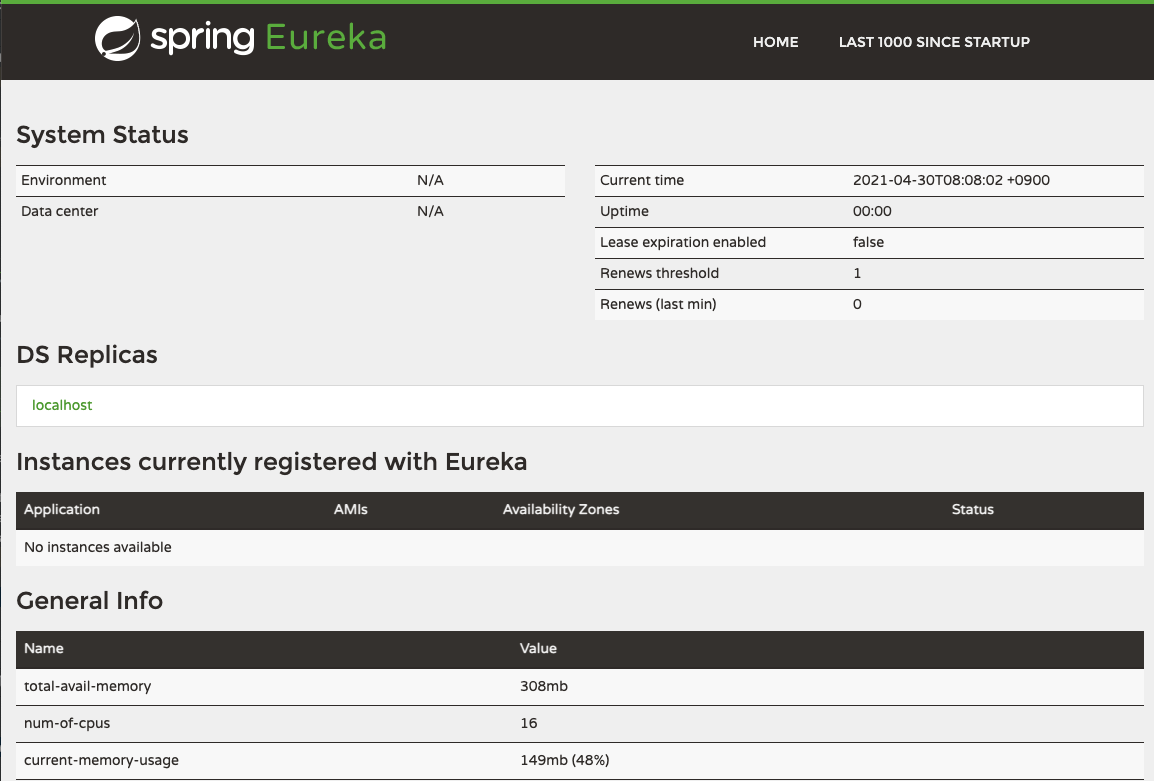
http://localhost:8761/を開きます。
GatewayServerの作成
GatewayServerはclientと通信し、BackendServiceへのreverse proxyになります。
Project作成
curl https://start.spring.io/starter.tgz  \
-d bootVersion=2.4.5 \
-d dependencies=cloud-eureka,cloud-gateway \
-d baseDir=spring-gateway-server \
-d artifactId=gateway-server \
-d packageName=com.devkuma.cloud.gateway.server \
-d applicationName=GatewayServerApplication \
-d packaging=jar \
-d javaVersion=1.8 \
-d type=gradle-project | tar -xzvf -
Source code
package com.devkuma.cloud.gateway.server;

import org.springframework.boot.SpringApplication;
import org.springframework.boot.autoconfigure.SpringBootApplication;
import org.springframework.cloud.client.discovery.EnableDiscoveryClient;

@EnableDiscoveryClient
@SpringBootApplication
public class GatewayServerApplication {
    public static void main(String[] args) {
        SpringApplication.run(GatewayServerApplication.class, args);
    }
}
server:
  port: 8001
spring:
  application:
    name: gateway-server
  cloud:
    gateway:
      routes:
        - id: backend-service
          uri: lb://backend-service
          predicates:
            - Path=/backend/**
          filters:
            - RewritePath=/backend/(?<path>.*),/$\{path}
eureka:
  client:
    serviceUrl:
      defaultZone: http://localhost:8761/eureka
  instance:
    preferIpAddress: true
application名がEurekaへ登録され、/backend/**へのrequestはBackendServiceへ転送されます。
BackendServiceの作成
Project作成
curl https://start.spring.io/starter.tgz  \
-d bootVersion=2.4.5 \
-d dependencies=cloud-eureka \
-d baseDir=spring-backend-service \
-d artifactId=backend-service \
-d packageName=com.devkuma.cloud.backend.service \
-d applicationName=BackendServiceApplication \
-d packaging=jar \
-d javaVersion=1.8 \
-d type=gradle-project | tar -xzvf -
Source code
package com.devkuma.cloud.backend.service;

import org.springframework.boot.SpringApplication;
import org.springframework.boot.autoconfigure.SpringBootApplication;
import org.springframework.cloud.netflix.eureka.EnableEurekaClient;

@EnableEurekaClient
@SpringBootApplication
public class BackendServiceApplication {
    public static void main(String[] args) {
        SpringApplication.run(BackendServiceApplication.class, args);
    }
}
package com.devkuma.cloud.backend.service;

import org.springframework.web.bind.annotation.RequestMapping;
import org.springframework.web.bind.annotation.RestController;

@RestController
public class HelloController {
    @RequestMapping("/hello")
    public String hello() {
        return "Hello backend service";
    }
}
server:
  port: 8002
spring:
  application:
    name: backend-service
eureka:
  client:
    serviceUrl:
      defaultZone: http://localhost:8761/eureka
  instance:
    preferIpAddress: true
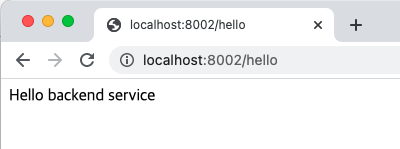
http://localhost:8002/helloを開きます。
完了
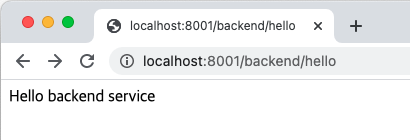
すべてのapplicationを起動してhttp://localhost:8001/backend/helloを開きます。
完成したprojectはこちらです。