Mac OS | Fix the git xcrun Error After a macOS Update
How to resolve the missing xcrun error by reinstalling Xcode Command Line Tools after a macOS update
xcrun Error Occurs
After updating Mac OS, running a git command produced the following error.
% git --version
xcrun: error: invalid active developer path (/Library/Developer/CommandLineTools), missing xcrun at: /Library/Developer/CommandLineTools/usr/bin/xcrun
After checking, it appears to be an error related to Xcode Command Line Tools.
Solution
Reinstalling Xcode solves the issue, but if you do not need a full installation, run the following command in the console to reinstall only Xcode Command Line Tools.
% xcode-select --install
When a popup asks whether you want to install the command line developer tools, click Install.

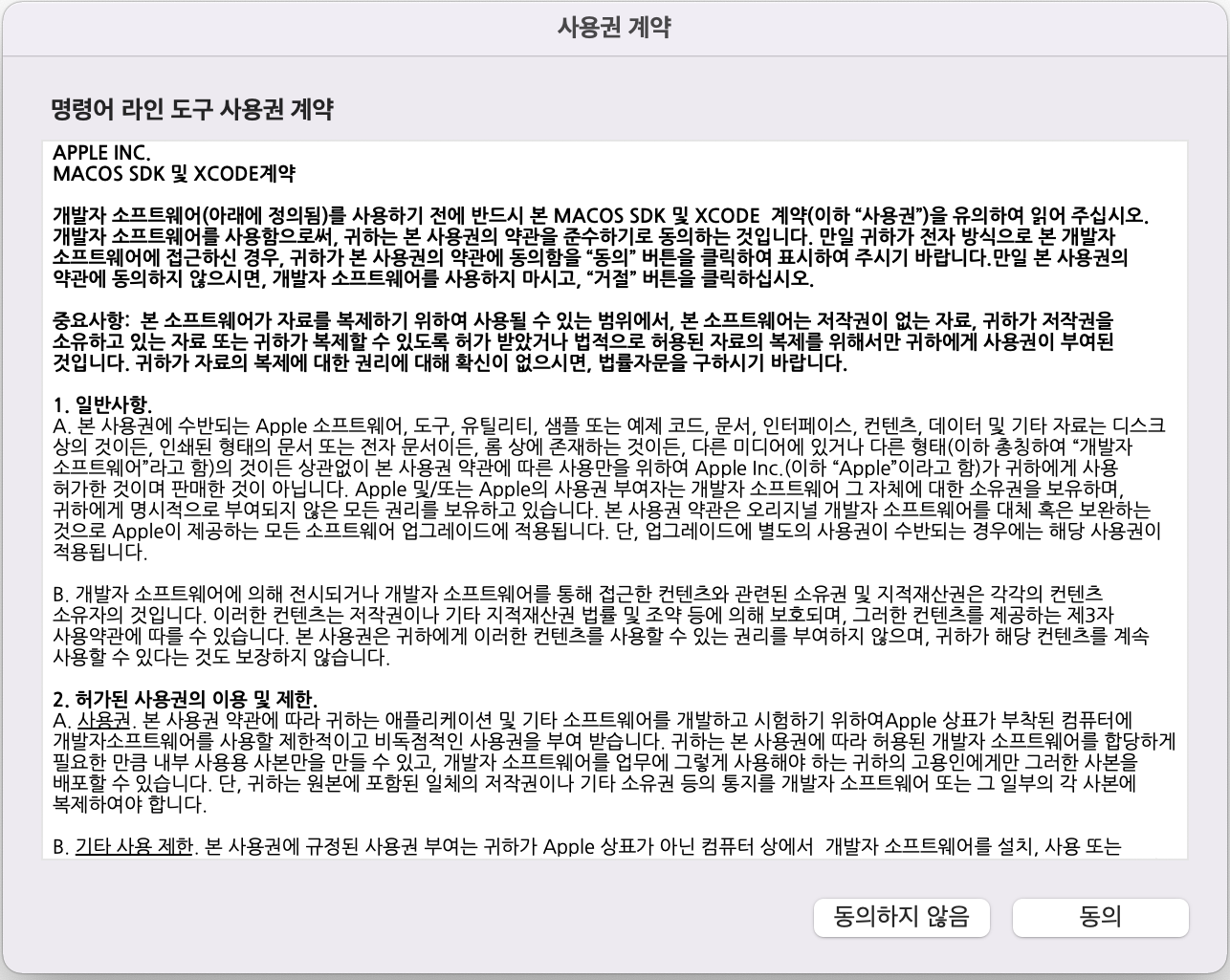
When the license agreement popup appears, click Agree.
A software download screen appears. Wait for a while.

The installation complete screen appears as shown below.

Click Done to complete the installation.
Verify Execution
After the installation is complete, run the git command again and confirm that the error no longer occurs.
% git --version
git version 2.30.1 (Apple Git-130)