Introduction to Neo4j Cypher
What is Cypher?
Cypher is a graph query language developed by Neo4j for database queries. Its SQL-like form supports powerful and varied data expressions.
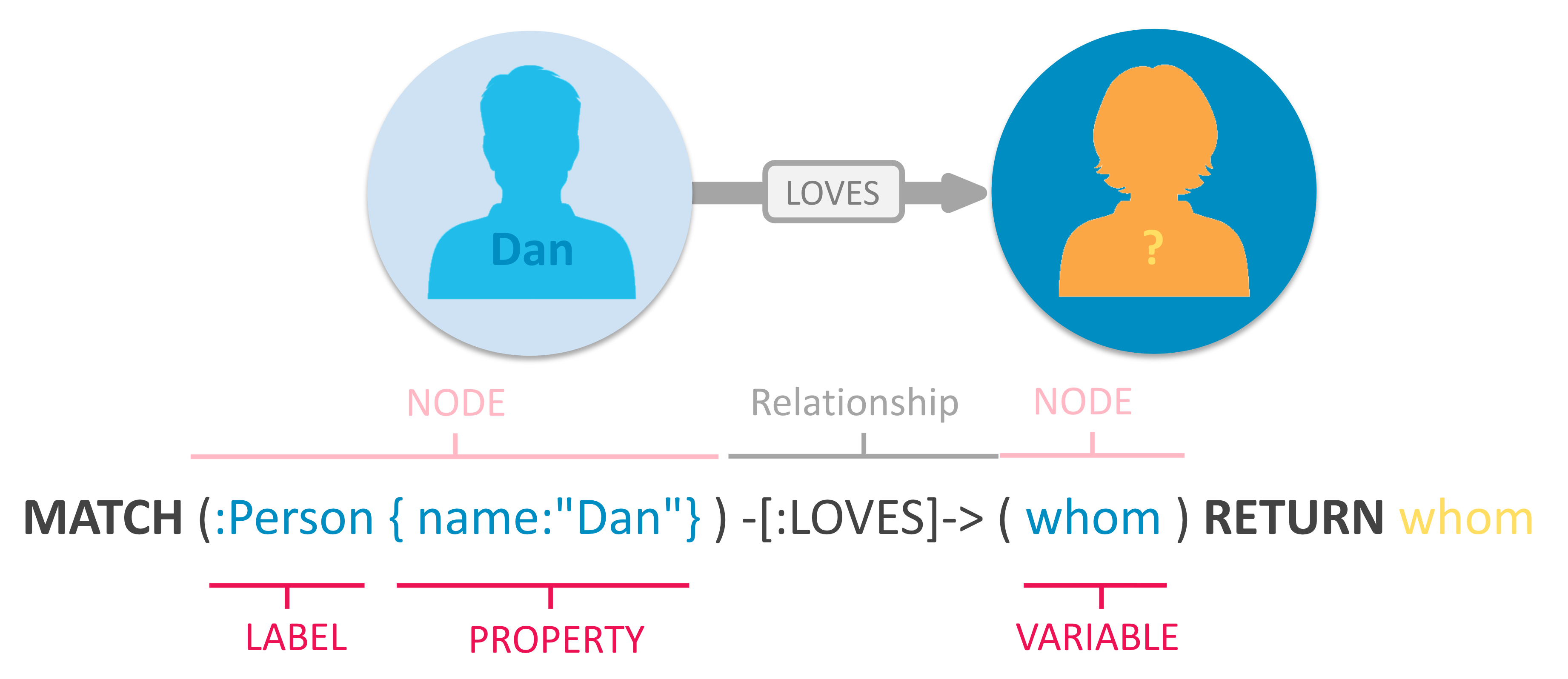
As Neo4j’s primary interface, Cypher provides a visual way to match patterns and relationships.
Cypher uses patterns such as (nodes)-[:ARE_CONNECTED_TO]->(otherNodes). Parentheses () represent nodes, brackets [] represent relationships, and - and -> show the direction of a relationship between nodes.
Cypher can construct expressive, efficient queries to create, read, update, and delete (CRUD) every kind of graph data.
Cypher syntax
Cypher is designed for humans to read. Its syntax uses English words and visual shapes representing entities.
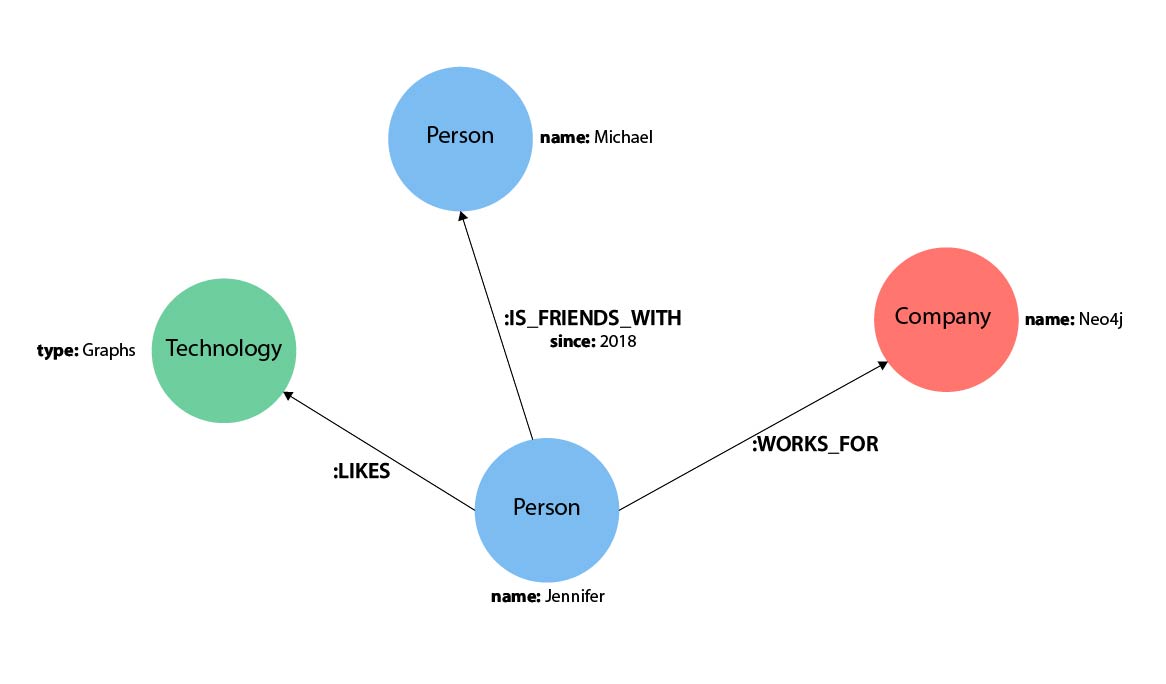
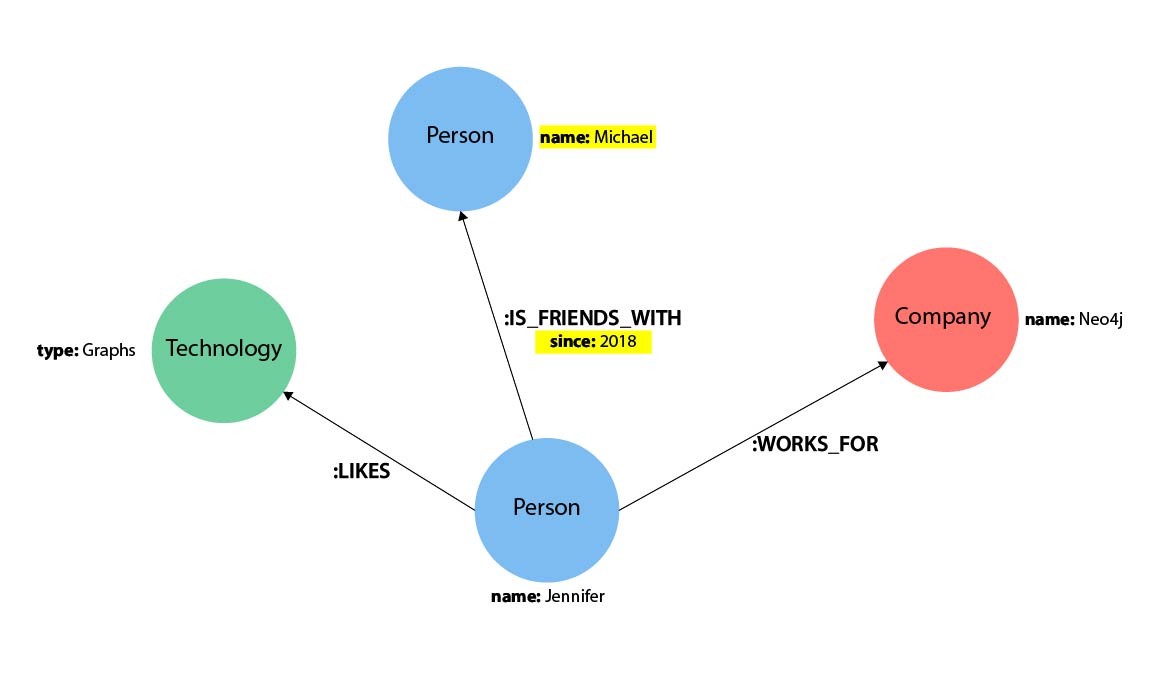
- Jennifer likes graphs as a technology.
- Jennifer has been friends with Michael since 2018.
- Jennifer works for Neo4j.
Cypher comments
Comments start with //, followed by any desired text. As in many programming languages, beginning a line with two slashes makes the rest of that line a comment.
Representing nodes in Cypher
Cypher uses ASCII art1 for patterns, so each component needs a visual representation. Nodes and relationships are the main components of the property graph model. Nodes are data entities in a graph and usually correspond to nouns or objects in a data model. In this example, Jennifer, Michael, and Graphs are Neo4j nodes.
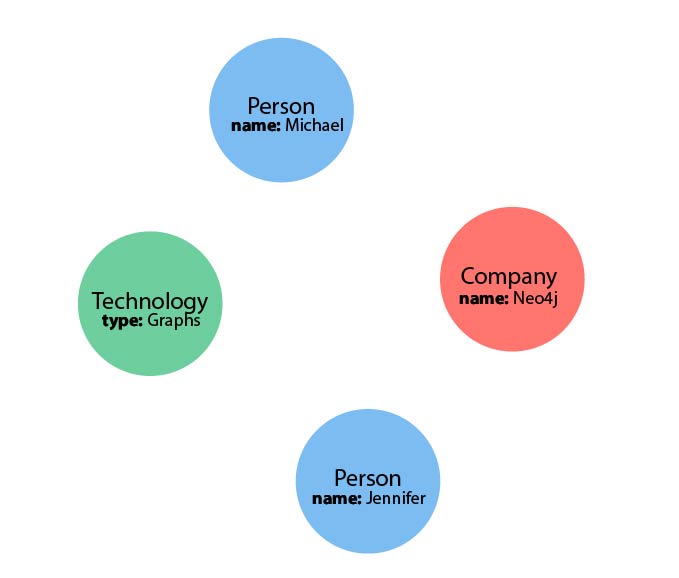
A node is enclosed in parentheses, as in (node). The parentheses resemble the circles commonly used for nodes in visual data models.
Node variables
Assign a variable such as p or t to refer to a node later: (p:Person) or (t:Thing). Longer, descriptive names such as (person) and (thing) are also valid. As with variables in programming languages, choose a name and use the same name for later references.
Empty parentheses specify an anonymous node. Use () when the node itself is irrelevant to the returned result. An anonymous node cannot be returned by name later in the query.
Node labels
Node labels group similar nodes in a property graph. A label works like a tag, specifying the type of entity to find or create. In this example, Person, Technology, and Company are labels.
Labels resemble selecting a table in SQL. Just as SQL can target a Person, Employee, or Customer table, Cypher can inspect only nodes with the relevant label. This distinguishes entities and helps optimize query execution. Use node labels whenever possible.
Without a label, Cypher must inspect every node in the database to filter out unrelated categories. Queries over very large graphs may therefore take much longer.
Example: nodes in Cypher
The following examples use the graph described above.
()                  // Anonymous node with no label or variable; can refer to any node
(p:Person)          // Variable p and label Person
(:Technology)       // No variable; label Technology
(work:Company)      // Variable work and label Company
Representing relationships in Cypher
To use a graph database effectively, represent relationships between nodes. Cypher displays a relationship between two nodes with an arrow, --> or <--. The syntax looks like the lines and arrows connecting nodes in a diagram. Additional information—such as relationship type and properties—goes inside brackets [] within the arrow.
In this example, LIKES, WORKS_FOR, and IS_FRIENDS_WITH are relationships between nodes.
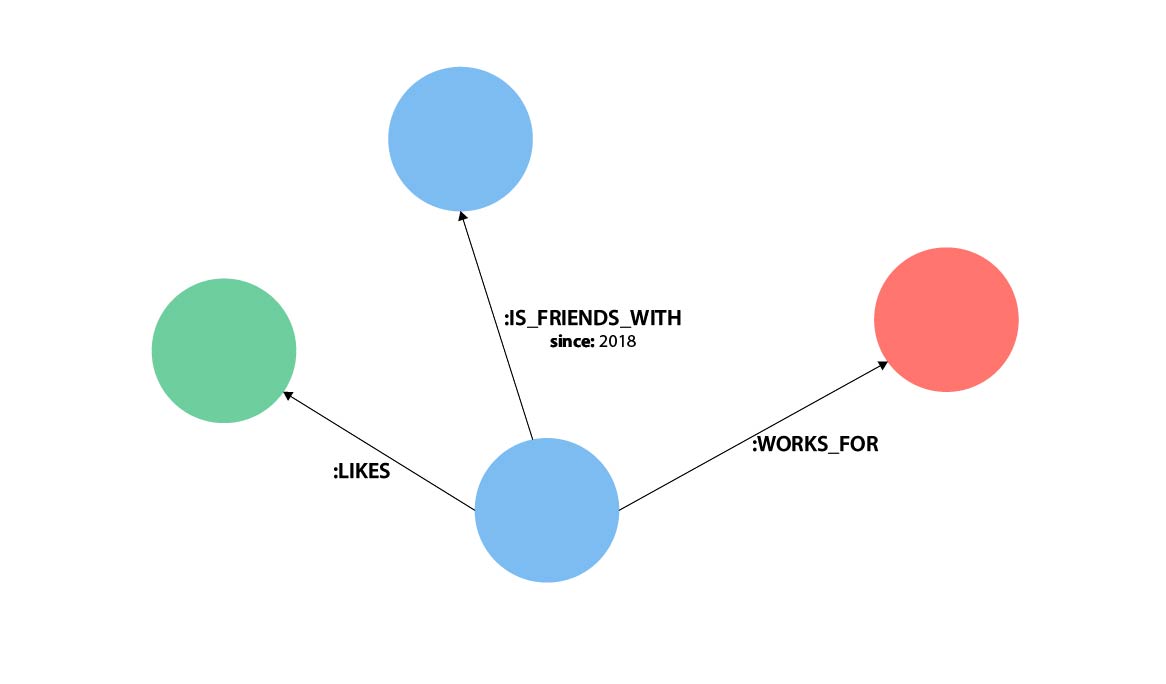
An undirected relationship uses two dashes, --, without an arrow. The relationship can then point in either direction. Although the database stores a direction, an undirected query tells Cypher to ignore it when finding relationships and connected nodes. This makes queries flexible when the stored direction is unknown.
If data is stored in one direction and a query specifies the opposite direction, Cypher returns no result. When the direction is uncertain, use an undirected relationship.
// Data is stored in this direction.
CREATE (p:Person)-[:LIKES]->(t:Technology)

// Querying in the opposite direction returns no result.
MATCH (p:Person)<-[:LIKES]-(t:Technology)

// Use an undirected relationship when the direction is uncertain.
MATCH (p:Person)-[:LIKES]-(t:Technology)
Relationship types
Relationship types classify relationships and add meaning, much as labels group nodes. Relationships show how nodes connect and relate to each other. Actions and verbs in a data model often identify suitable relationships.
You can define any needed relationship type, but clear verb- or action-based names are recommended. Poor names make Cypher harder to read and write; good Cypher reads much like English.
[:LIKES]— meaningful when nodes are placed on each side: Jennifer LIKES Graphs.[:IS_FRIENDS_WITH]— meaningful with nodes: Jennifer IS_FRIENDS_WITH Michael.[:WORKS_FOR]— fits the nodes: Jennifer WORKS_FOR Neo4j.
Relationship variables
Assign a variable such as [r] or [rel] to refer to a relationship later. Longer names such as [likes] and [knows] are also valid. If no later reference is needed, use --, -->, or <-- for an anonymous relationship.
For example, -[rel]-> or -[rel:LIKES]-> assigns the variable rel, which can later refer to the relationship and its details.
Omitting the colon before a supposed relationship type, as in
-[LIKES]->, makesLIKESa variable instead. With no relationship type declared, Cypher searches every relationship type.
Node and relationship properties
Properties are name-value pairs that add details to nodes and relationships. In Cypher, put them inside braces within a node’s parentheses or a relationship’s brackets. The example graph contains both a node property (name) and a relationship property (since).
- Node property:
(p:Person {name: 'Jennifer'}) - Relationship property:
-[rel:IS_FRIENDS_WITH {since: 2018}]->
Properties can contain values of various data types. See the Cypher manual’s values and types section for the complete list.
Patterns in Cypher
Nodes and relationships form graph patterns. Combined, they can express simple or complex structures. Patterns are one of the graph model’s most powerful features. Cypher can write them as continuous paths or separate smaller patterns with commas.
To represent a pattern, combine the node and relationship syntax described above. For example, Jennifer likes Graphs becomes:
(p:Person {name: "Jennifer"})-[rel:LIKES]->(g:Technology {type: "Graphs"})
This fragment describes the desired pattern but does not say whether to find an existing pattern or insert a new one. Add a Cypher keyword to specify the operation.
Sources
-
A technique that represents pictures or diagrams using only text and special characters. ↩︎