Kotestプロジェクト設定
依存関係の追加
Kotestを使用するには、まずプロジェクトにライブラリを追加する必要がある。 KotestテストフレームワークはJVM、JavaScript、Nativeでサポートされている。複数のプラットフォームでKotestを使用するには、以下で説明するように各プラットフォームに合わせて設定すればよい。
JVM/Gradle
JVM/GradleプロジェクトでのKotestは、JUnit Platform Gradleプラグインを使用する。
Gradle 4.6以上では、テスト型がTestであるタスクにuseJUnitPlatform()を追加し、Kotest JUnit 5ランチャー依存関係を追加するだけでよい。
Gradle + Groovy(ビルドファイル: build.gradle)を使用する場合:
test {
  useJUnitPlatform()
}
またはGradle + Kotlin(ビルドファイル: build.gradle.kts)を使用する場合:
tasks.withType<Test>().configureEach {
   useJUnitPlatform()
}
続いて、次のようにKotest依存関係を追加する。
repositories {
    mavenCentral()
}

dependencies {
    testImplementation("io.kotest:kotest-runner-junit5:${kotestVersion}")
    // 必要に応じて他のモジュールへの依存関係も追加する。
}
JVM/Maven
JVM/Mavenプロジェクトの場合は、ビルドファイル(pom.xml)に次のような構成が必要である。
JUnitテストのためにSurefireプラグインを構成する必要がある。
<plugin>
   <groupId>org.apache.maven.plugins</groupId>
   <artifactId>maven-surefire-plugin</artifactId>
   <version>2.22.2</version>
</plugin>
その後、Kotest JUnit 5ランナー依存関係を追加する。
<dependencies>
    <dependency>
        <groupId>io.kotest</groupId>
        <artifactId>kotest-runner-junit5</artifactId>
        <version>{kotestVersion}</version>
        <scope>test</scope>
    </dependency>
</dependencies>
Kotlin/JS
例えば、次のようにする。
plugins {
  id("io.kotest.multiplatform") version "5.0.2"
}
エンジン依存関係をcommonTest依存関係ブロックに追加する。
kotlin {
  targets {
    js(IR) { // LEGACY or BOTH are unsupported
      browser() // to compile for the web
      nodejs() // to compile against node
    }
  }

  sourceSets {
    val commonTest by getting {
      dependencies {
        implementation("io.kotest:kotest-framework-engine:$version")
      }
    }
  }
}
FunSpec、ShouldSpec、StringSpecを使ってテストを書ける。テストはcommonTestまたはjsTestソースセットに配置できる。gradle checkコマンドを使ってテストを実行する。
JavaScriptテストエンジンは、JVMテストエンジンと比べると機能が制限されている。最大の制限は、Kotlinが実行時にアノテーションをJavaScriptコードへ公開しないため、アノテーションベースの構成が動作しないことである。
Kotlin/Native
Kotlin/Nativeプロジェクトでも、Kotlin/JSプロジェクトと同様にKotestマルチプラットフォームGradleプラグインを追加する必要がある。
plugins {
  id("io.kotest.multiplatform") version "5.0.2"
}
エンジン依存関係をcommonTest依存関係ブロックに追加する。
kotlin {
  targets {
    linuxX64() // can add any supported native targets such as linux, mac, windows etc
  }
}
sourceSets {
  val commonTest by getting {
    dependencies {
      implementation("io.kotest:kotest-framework-engine:$version")
    }
  }
}
テストはcommonTestまたは特定のNativeソースセットに配置できる。gradle checkコマンドを使ってテストを実行する。
Nativeテストエンジンは、JVMテストエンジンと比べると機能が制限されている。最大の制限は、Kotlinが実行時にアノテーションをNativeコードへ公開しないため、アノテーションベースの構成が動作しないことである。
参考 IntelliJ Kotestプラグインは、IDEから通常、Native、JSテストを実行することをサポートしていない。Gradleのcheckタスクを使用する必要がある。
Android
AndroidのKotestはJUnit Platform Gradleプラグインを使用する。そのためには、ビルドファイルでAndroidテストオプションブロックを構成し、その後Kotest JUnit 5ランチャー依存関係を追加する必要がある。
android.testOptions {
   unitTests.all {
      it.useJUnitPlatform()
   }
}
dependencies {
   testImplementation 'io.kotest:kotest-runner-junit5:{version}'
}
Kotestバージョン
ここでは${kotestVersion}に使用したいKotestバージョンを指定する。
2024年4月時点で、Kotestの最新バージョンは2024年3月11日にリリースされた5.8.1である。 https://central.sonatype.com/artifact/io.kotest/kotest-runner-junit5
IntelliJ IDEAでKotest環境を作る
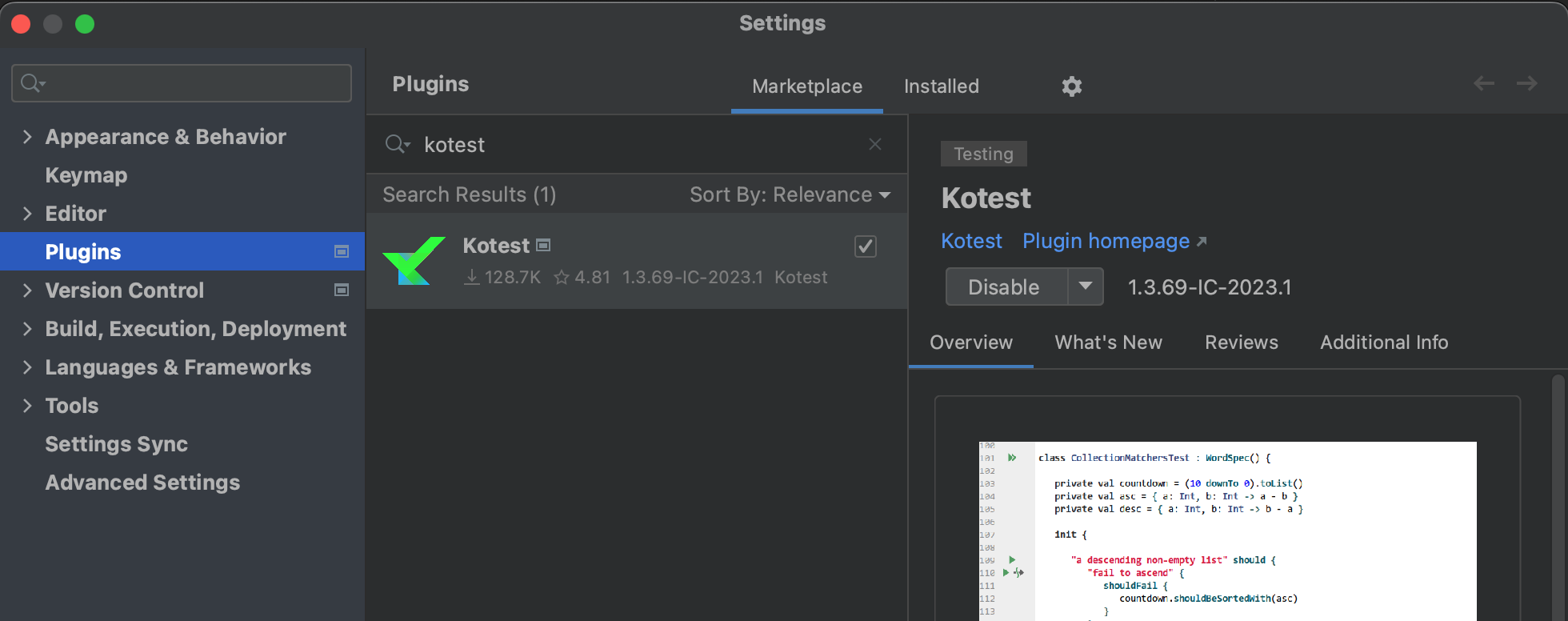
IntelliJ IDEAでKotestを動かすには、Kotestプラグインをインストールする必要がある。
[Setting]-[Plugins]へ移動し、kotestを検索してインストールする。