Building an Application with the Gemini API
This page explains how to build a simple application using the Gemini API.
Issuing a Gemini Key
To use the Google Gemini API, you need to issue an API key.
1. Access the Gemini Developer API Site
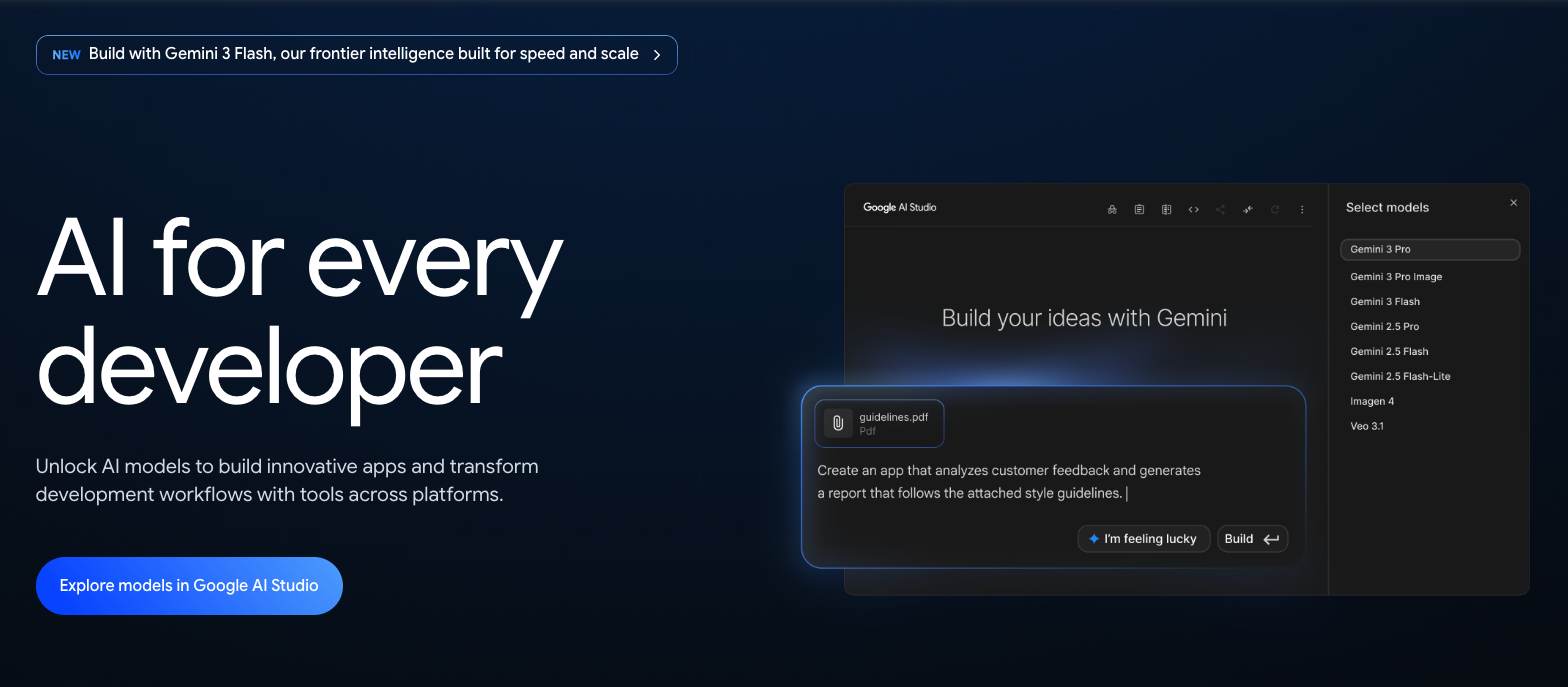
- Go to https://ai.google.dev/ and click the Explore models in Google AI Studio button.
- On first access, the terms of service are displayed. Review them and click the “Continue” button.
2. Issue a Get API Key
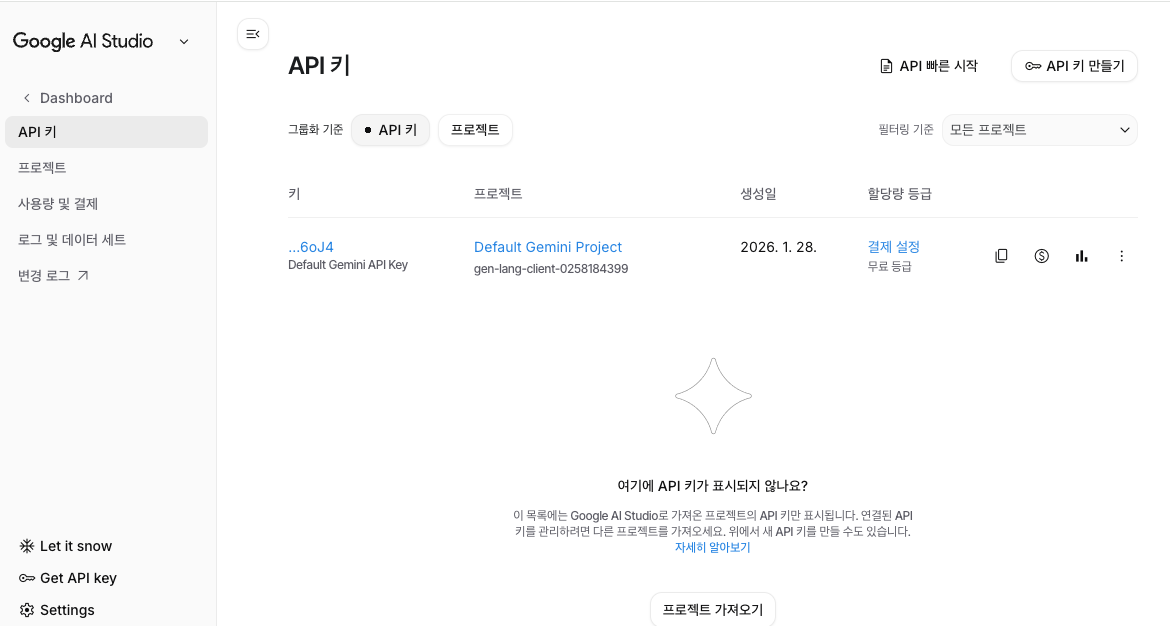
- Select the Get API Key menu to issue a key.
- If you have already issued one, it will appear in the list. If you have not, you can use the Create API key button.
Free Tier
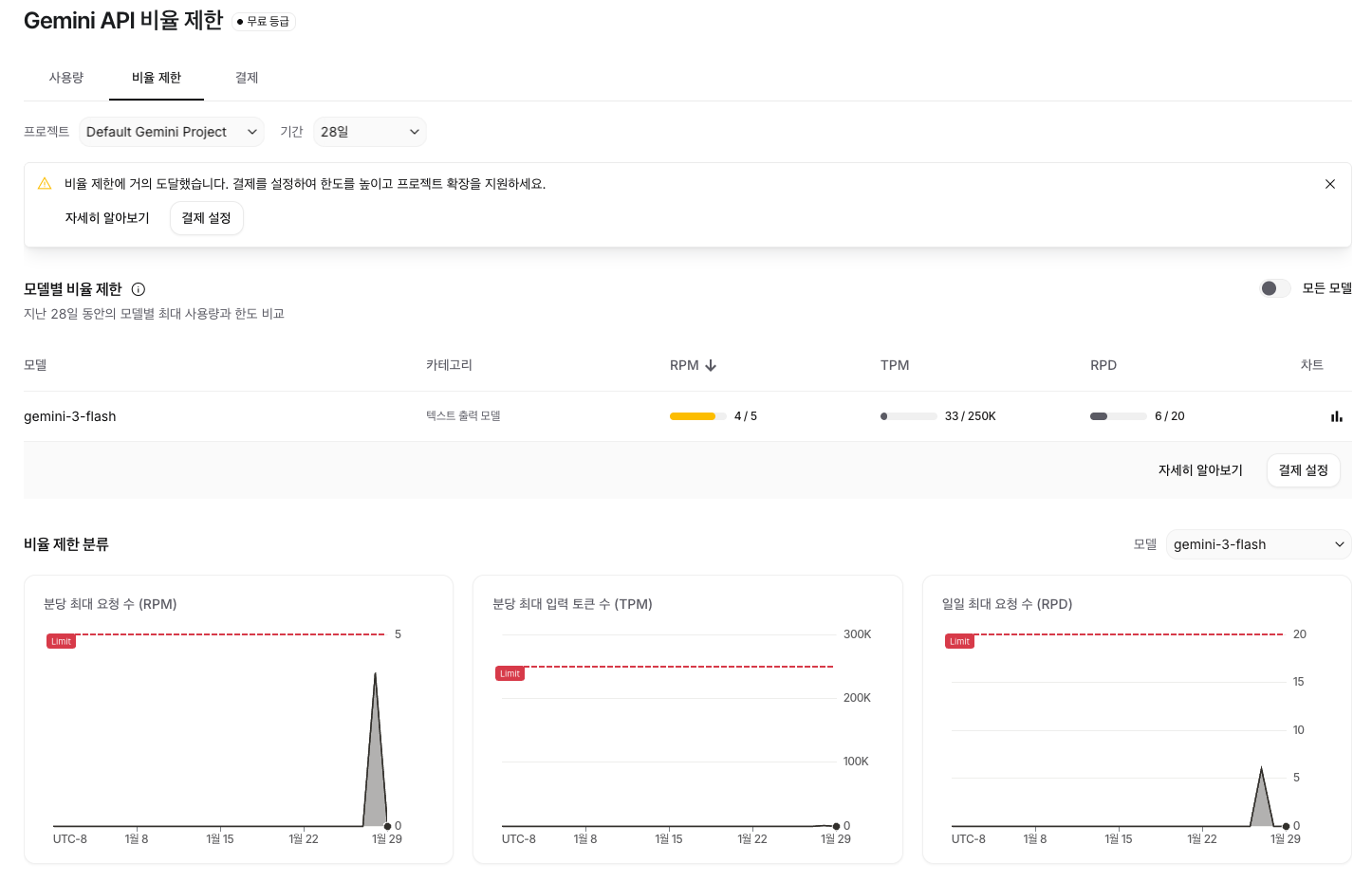
The free tier has usage limits by model. For gemini-3-flash, the daily maximum number of requests (RPD) is only up to 20.
Client Development Using a Library
Here, we will look at how to call the API using the Google GenAI SDK with Kotlin.
Project Creation
Create a project using an IDE tool.
.
├── build.gradle.kts
├── gradle
│   └── wrapper
│       ├── gradle-wrapper.jar
│       └── gradle-wrapper.properties
├── gradle.properties
├── gradlew
├── gradlew.bat
├── settings.gradle.kts
└── src
    ├── main
    │   ├── kotlin
    │   │   └── Main.kt
    │   └── resources
    └── test
        ├── kotlin
        └── resources
Adding the Library
/build.gradle.kts
dependencies {
    implementation("com.google.genai:google-genai:1.36.0")
}
- Check the GitHub repository (googleapis/java-genai) and use the latest version.
Client Development
/src/main/kotlin/Main.kt
package com.devkuma

import com.google.genai.Client

fun main() {
    val client = Client.builder().apiKey("GEMINI_API_KEY").build()

    val response =
        client.models.generateContent(
            "gemini-3-flash-preview",
            "Explain artificial intelligence in one sentence.",
            null
        )

    println(response.text())
}
Output:
Artificial intelligence is technology that implements human learning, reasoning, and perception abilities in computer systems so machines can perform intelligent tasks.
- Put your issued key in GEMINI_API_KEY.
REST
The Gemini API can also be called as a REST API.
curl "https://generativelanguage.googleapis.com/v1beta/models/gemini-3-flash-preview:generateContent" \
  -H "x-goog-api-key: $GEMINI_API_KEY" \
  -H 'Content-Type: application/json' \
  -X POST \
  -d '{
    "contents": [
      {
        "parts": [
          {
            "text": "Explain artificial intelligence in one sentence."
          }
        ]
      }
    ]
  }'
output:
{
  "candidates": [
    {
      "content": {
        "parts": [
          {
            "text": "Artificial intelligence is technology that implements human learning, reasoning, and perception abilities in computer systems so they can perform intelligent tasks.",
            "thoughtSignature": "Er8OCrwOAXLI2nzqxL3K8LCAB020BPaY+sv89...."
          }
        ],
        "role": "model"
      },
      "finishReason": "STOP",
      "index": 0
    }
  ],
  "usageMetadata": {
    "promptTokenCount": 13,
    "candidatesTokenCount": 32,
    "totalTokenCount": 415,
    "promptTokensDetails": [
      {
        "modality": "TEXT",
        "tokenCount": 13
      }
    ],
    "thoughtsTokenCount": 370
  },
  "modelVersion": "gemini-3-flash-preview",
  "responseId": "5rh6afO6NYb22roPsKr06Ao"
}
References
The example code above can be found on GitHub.